 Stock
StockTurn on StockLock in your theme
Switch on StockLock's app embed so shoppers see limits on product pages and in the cart. One click and a Save, no theme code.
Prefer to watch? Play the video guide: Show limits in your theme
1
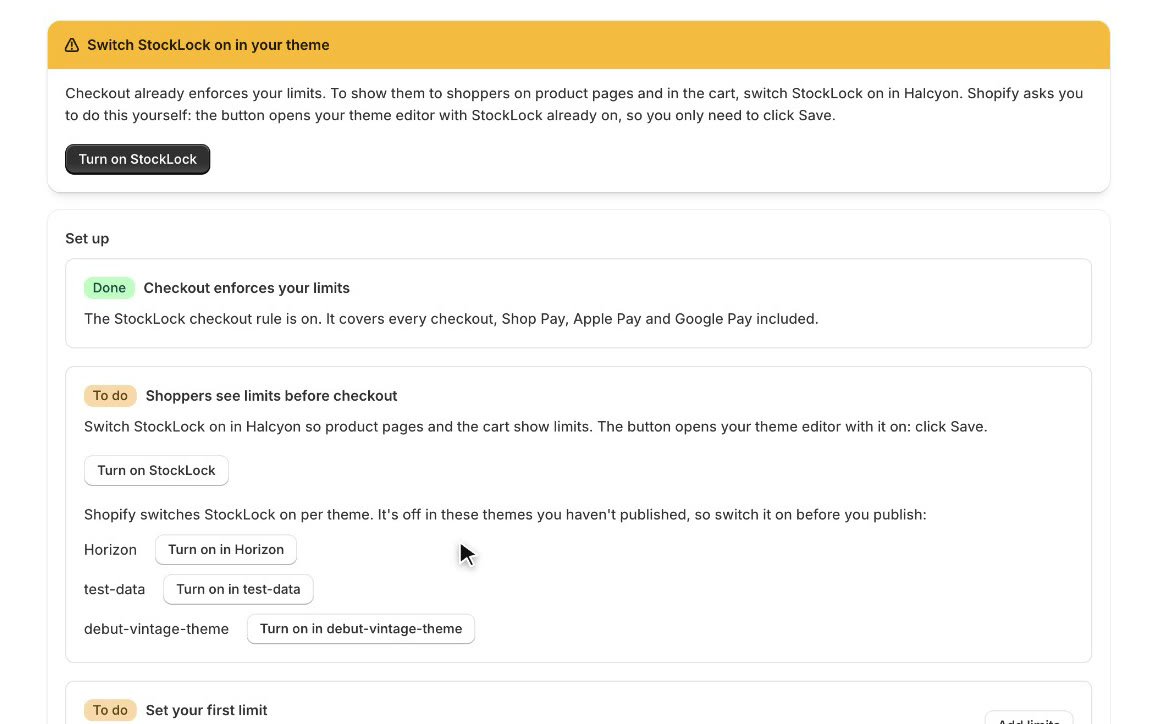
Click Turn on StockLock
Until StockLock is on in your live theme, its home page shows a banner. Click Turn on StockLock.
Tip
Checkout enforces your limits without this. The embed adds the notes, quantity caps and cart warnings shoppers see.
2
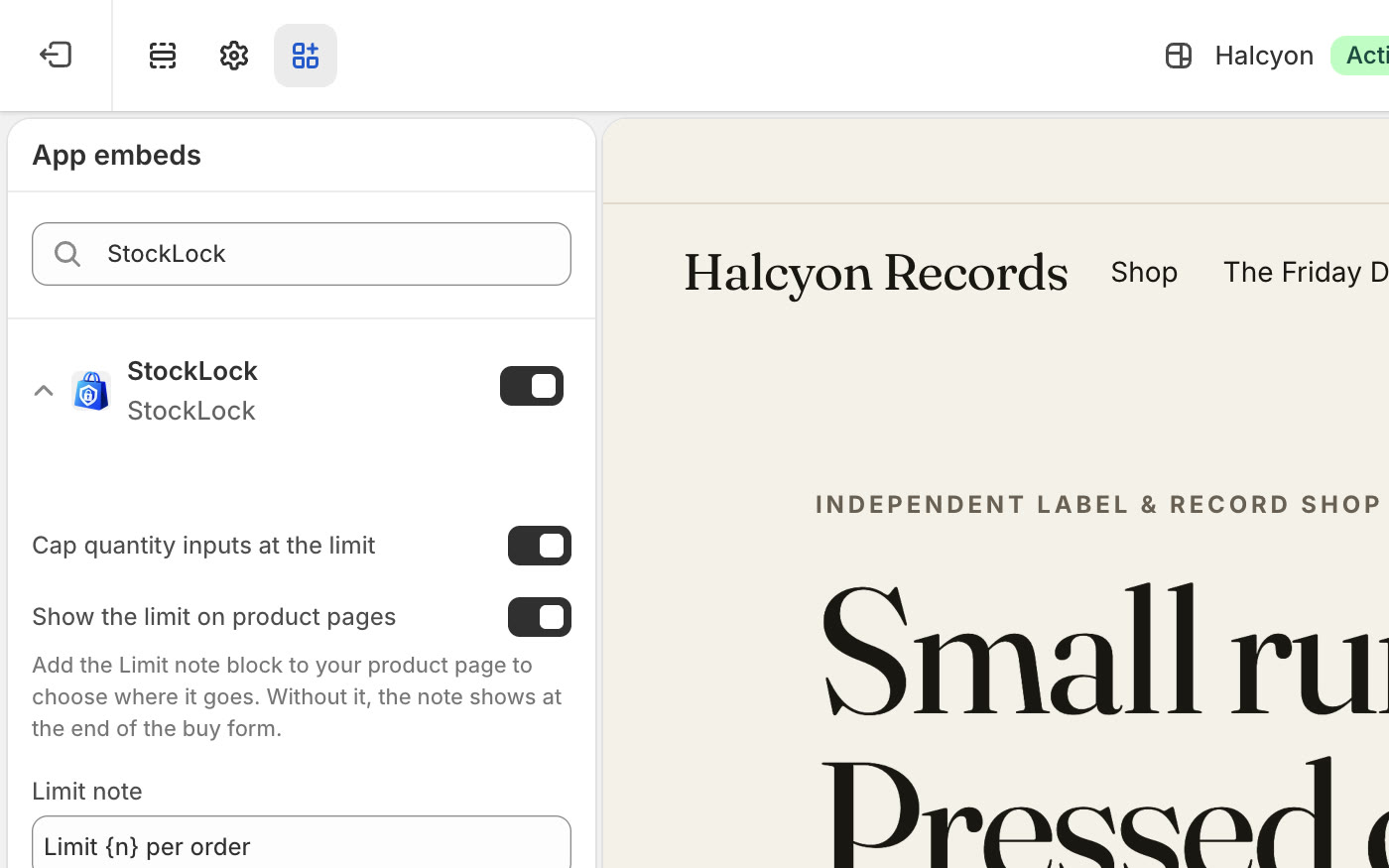
StockLock is already on
Your theme editor opens on App embeds, with StockLock already switched on.
3
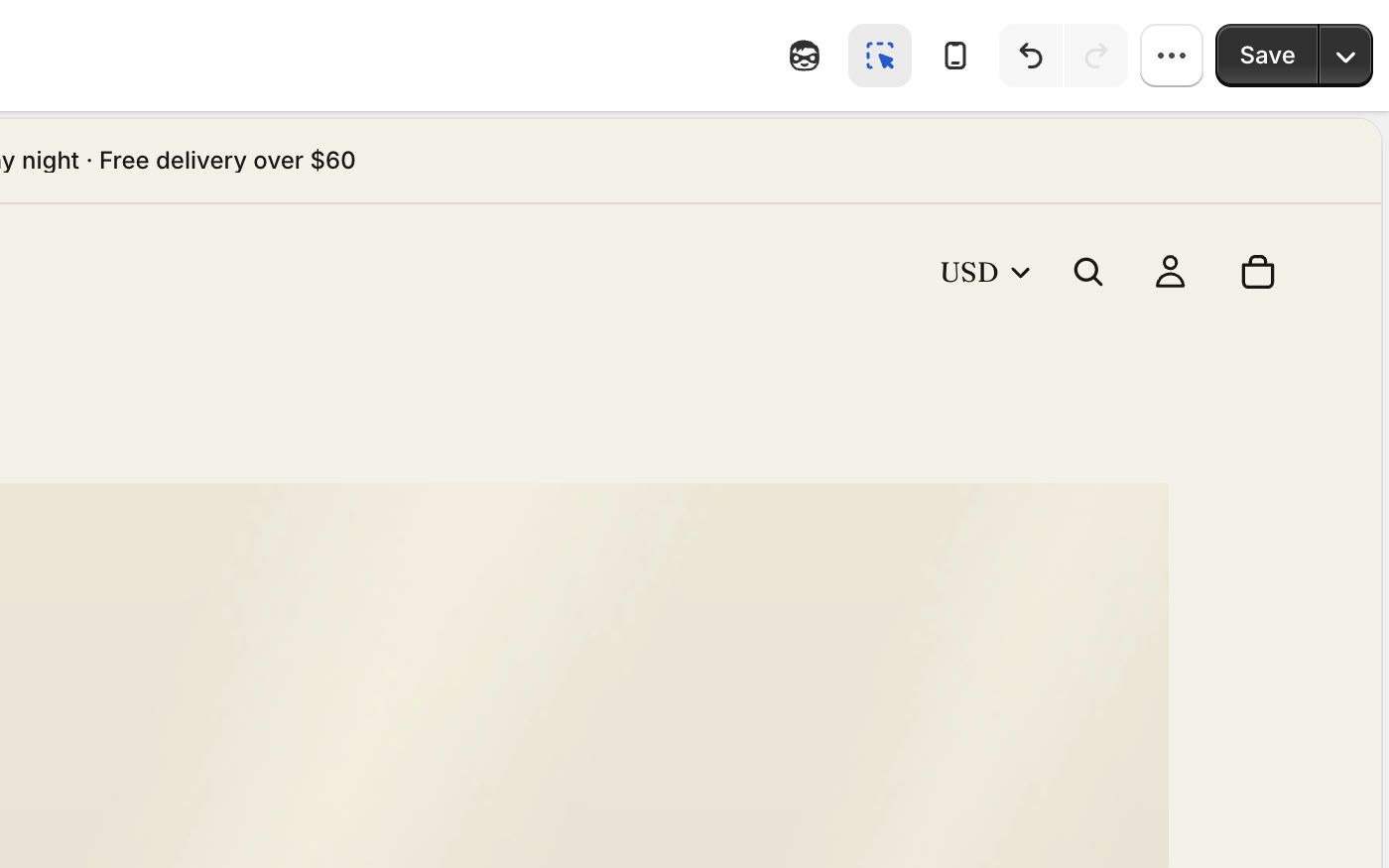
Click Save
Click Save at the top right of the theme editor. Shopify asks you to do this yourself: apps can't save your theme for you.
4
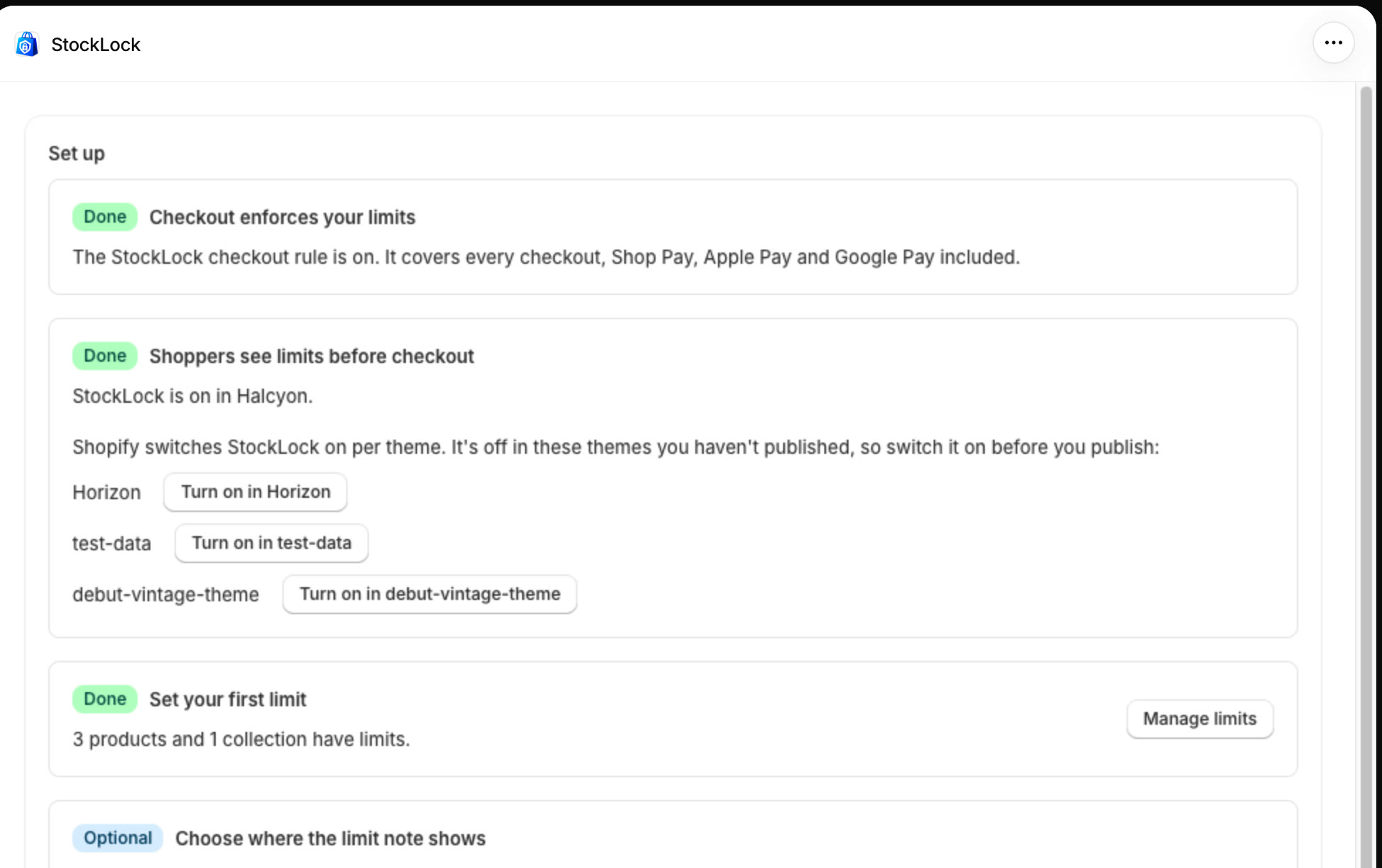
Check it's done
Back on StockLock's home page, Shoppers see limits before checkout now shows Done.
All done
That's everything for this guide. Need a hand? Email support@stocklock.net.