 Stock
StockChanged theme? Switch StockLock back on
Shopify switches app embeds on per theme. Before you publish a new or duplicated theme, switch StockLock on in it.
1
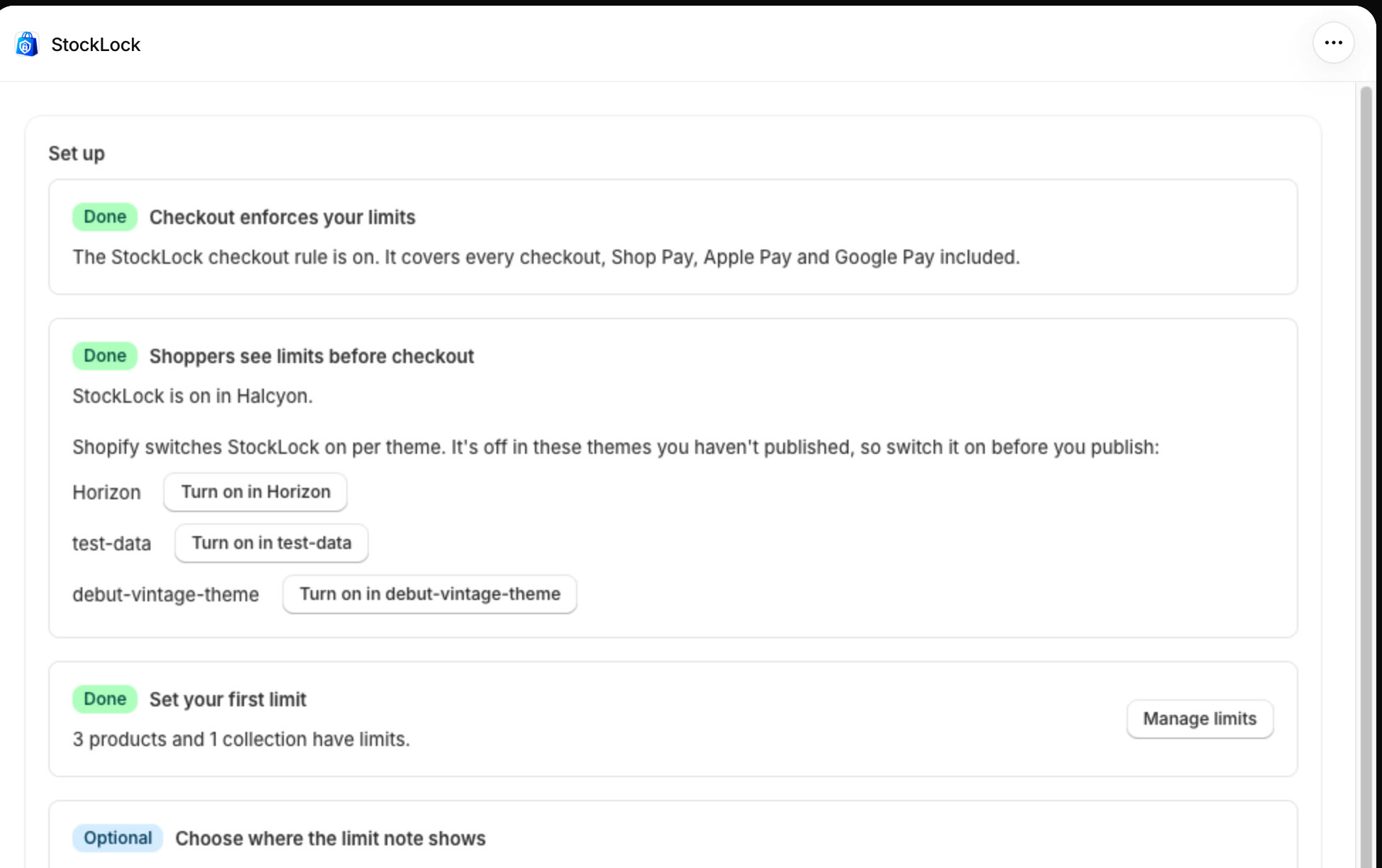
Find the theme on StockLock's home page
StockLock's home page lists your unpublished themes where StockLock is off. Click Turn on in next to the theme you're about to publish.
Tip
Your limits at checkout keep working whatever theme you use. Only the storefront notes and cart warnings need the embed.
2
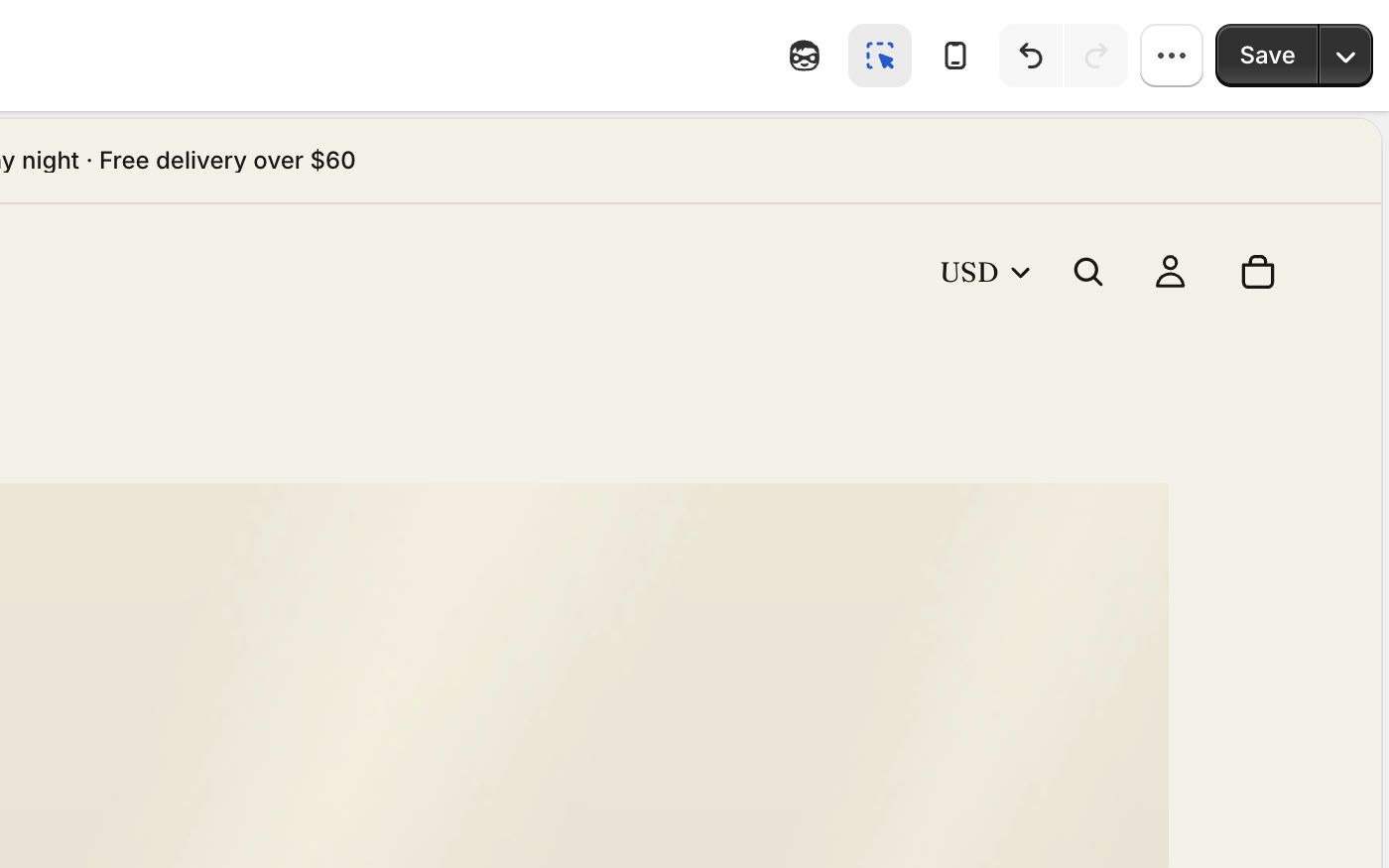
Click Save in the theme editor
The theme editor opens on that theme with StockLock switched on. Click Save. If you placed the Limit note block, add it again in the new theme.
All done
That's everything for this guide. Need a hand? Email support@stocklock.net.