 Stock
StockSet a minimum order or sell in packs
Make shoppers buy at least a set number, or only in packs such as pairs or cases. Checkout refuses anything else.
Prefer to watch? Play the video guide: Minimums and pack sizes
Open the product
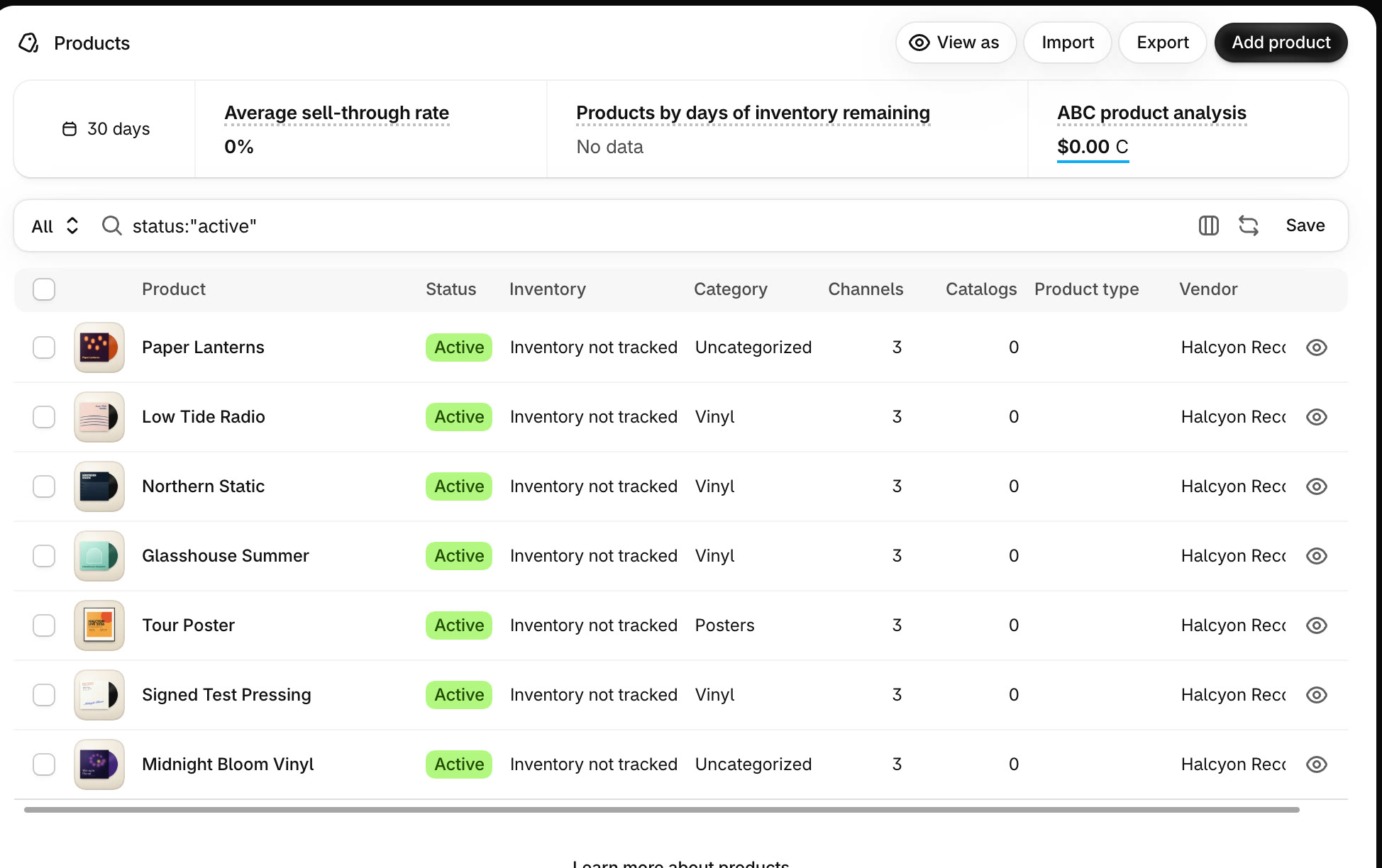
In your Shopify admin, go to Products and open the product.
Add the Order limits card
Scroll to the bottom of the product page. Under Blocks, click + Block and choose Order limits.
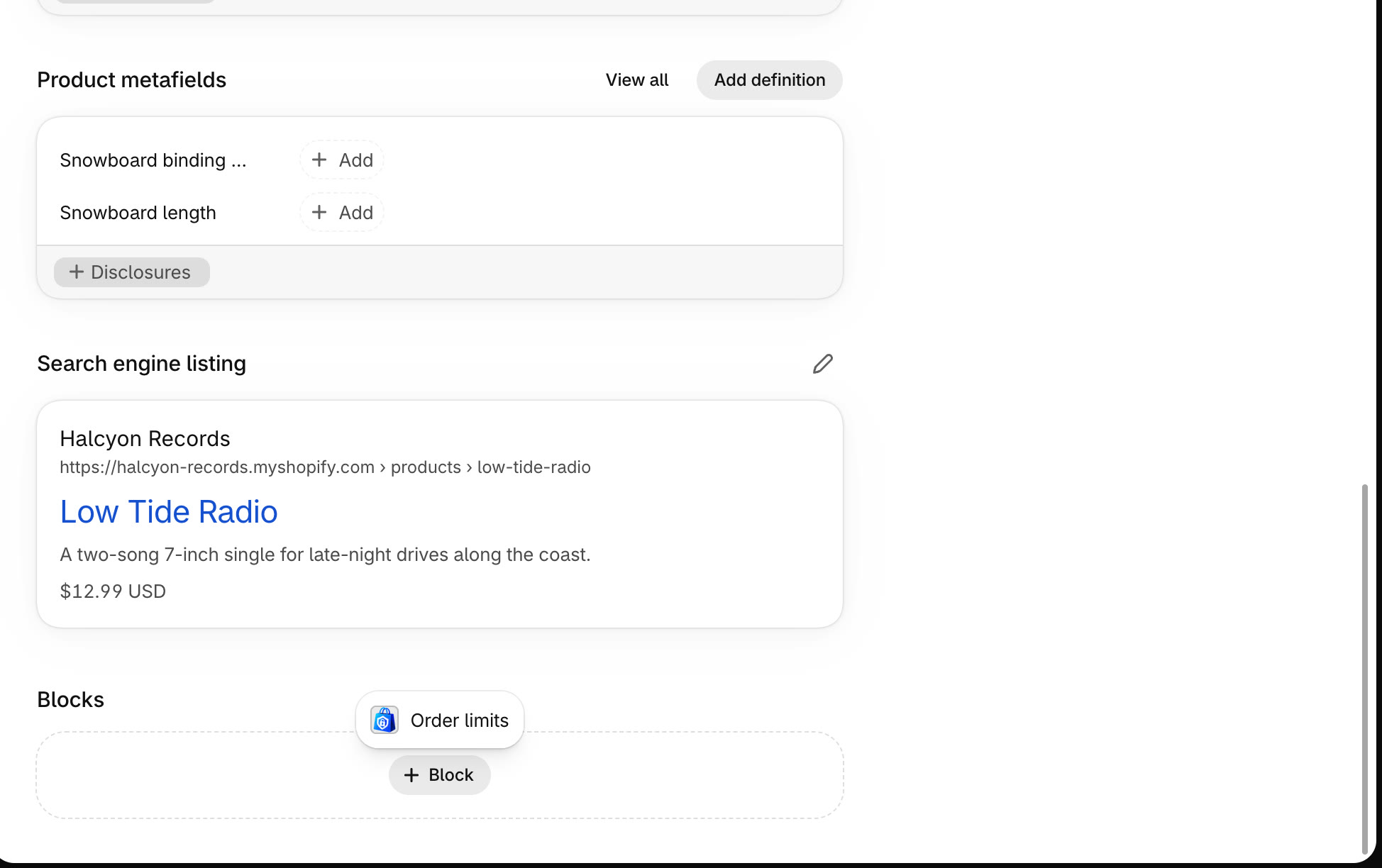
Already added? The Order limits card shows the product's current limits, ready to change. You can also edit any product's limits from StockLock's Limits page.
Set the minimum or pack size, then save
Enter Min per order for the smallest order allowed, and Multiples of to sell only in packs of that size. Click Save limits.
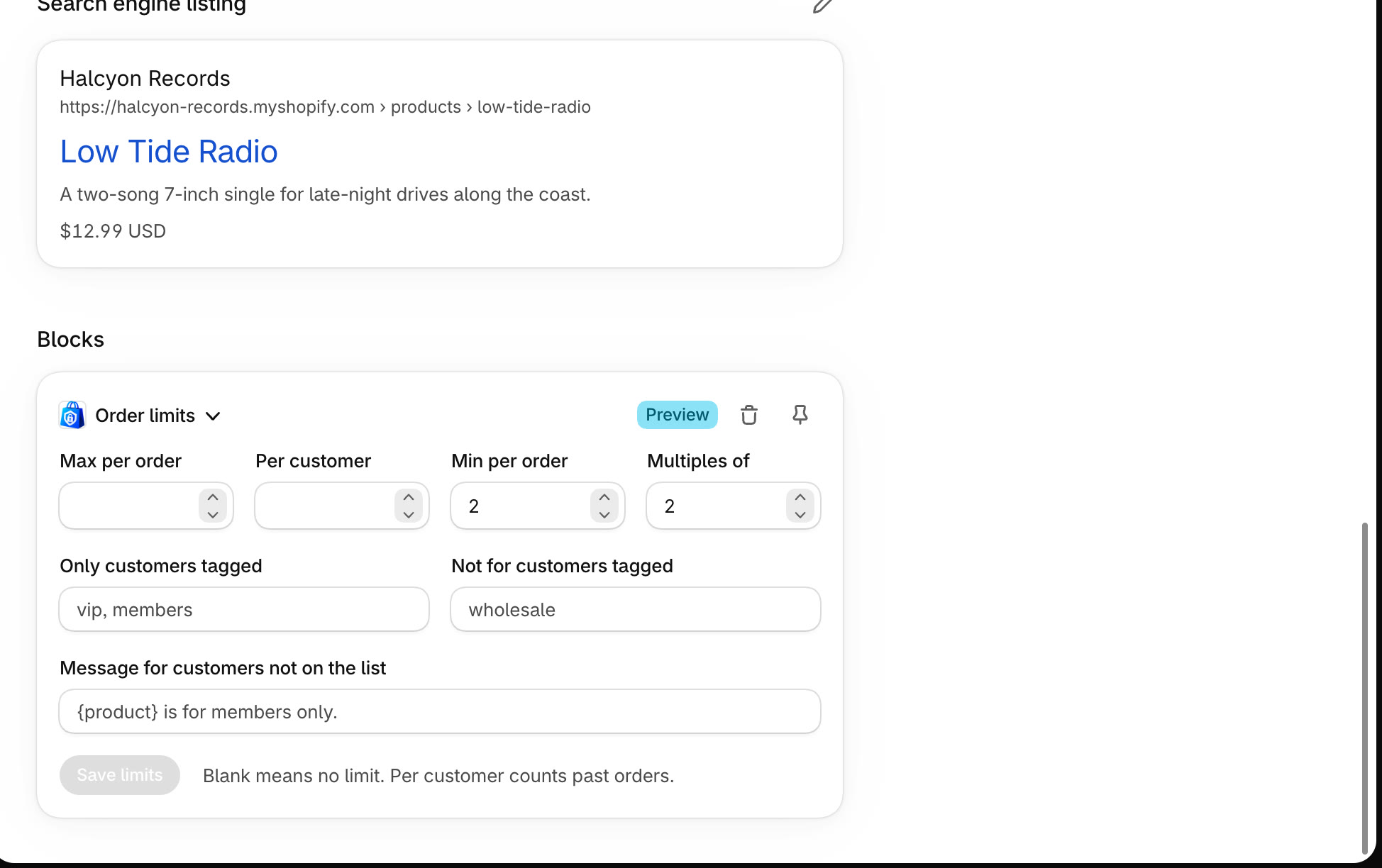
Use both together for packs with a minimum, such as at least 2, in pairs.
Check your product page
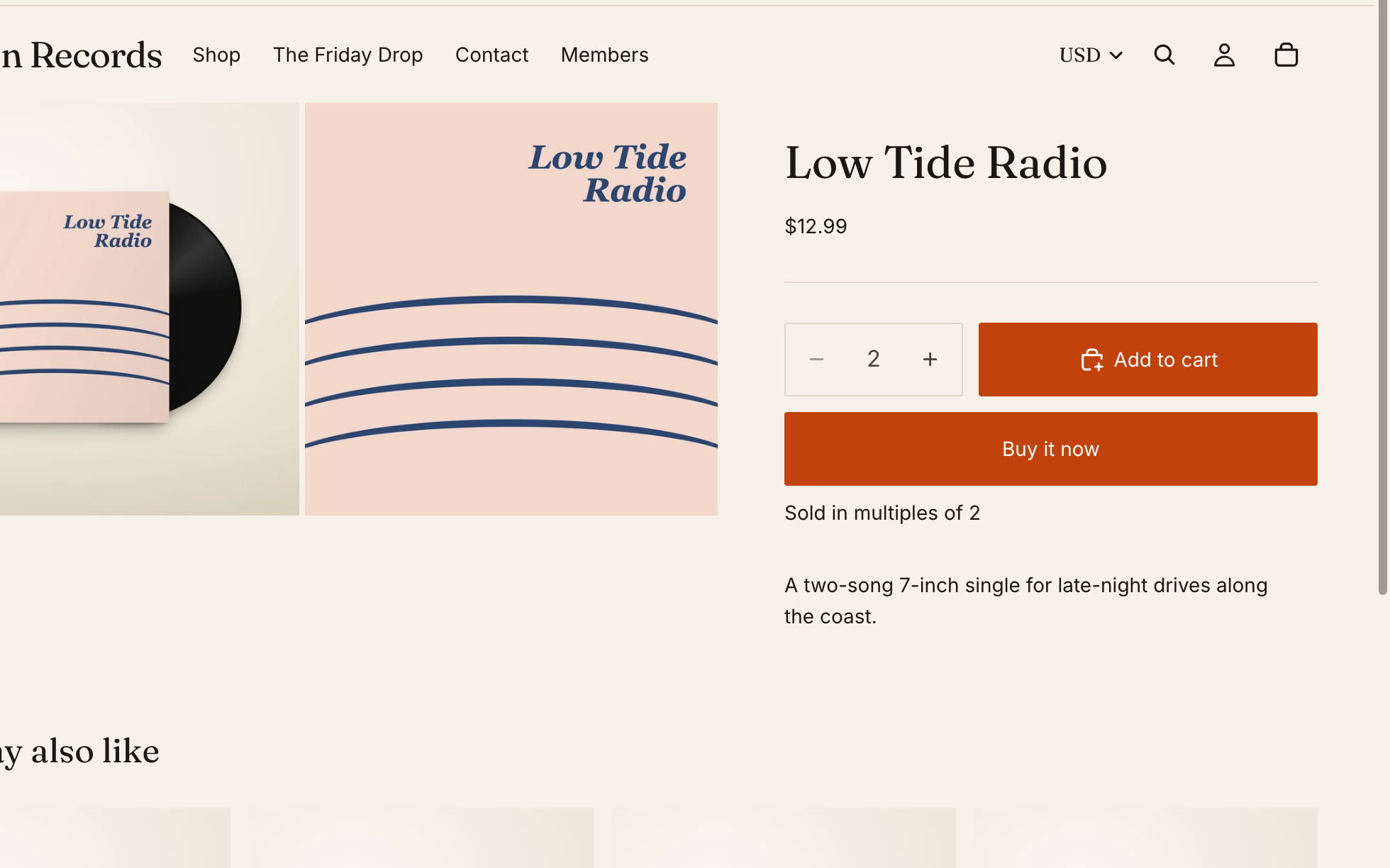
On your store, the quantity box starts at the minimum and goes up a pack at a time, with a note that explains why.
Odd amounts are stopped
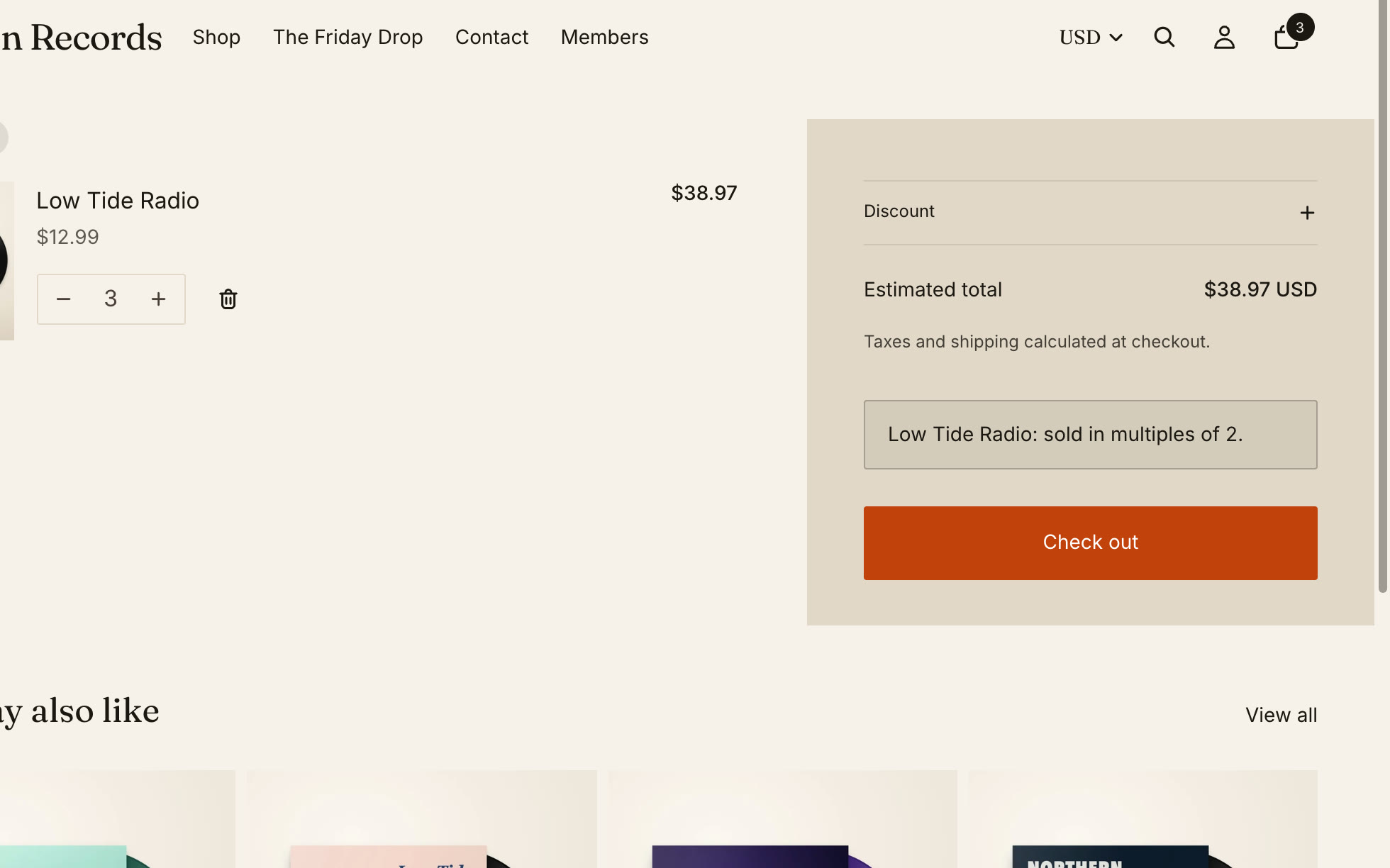
If a cart ends up with an amount that doesn't fit, the cart says what to change, and checkout won't take the order until it's fixed.
All done
That's everything for this guide. Need a hand? Email support@stocklock.net.