 Stock
StockSet limits for many products at once
Pick several products on StockLock's Limits page and give them the same limits in one go.
1
Click Add products
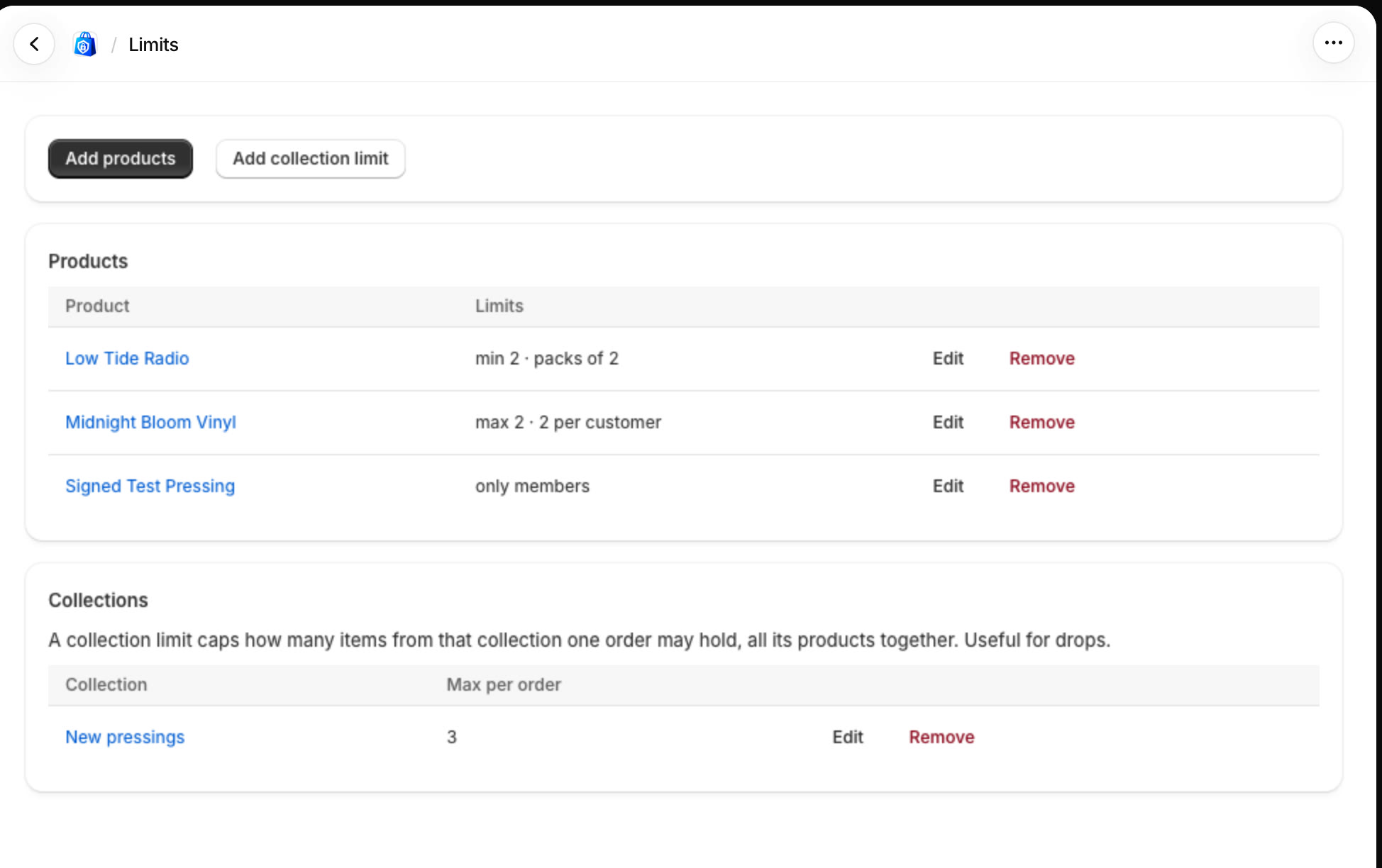
In StockLock, open Limits. Every limited product and collection is listed here. Click Add products.
2
Pick the products
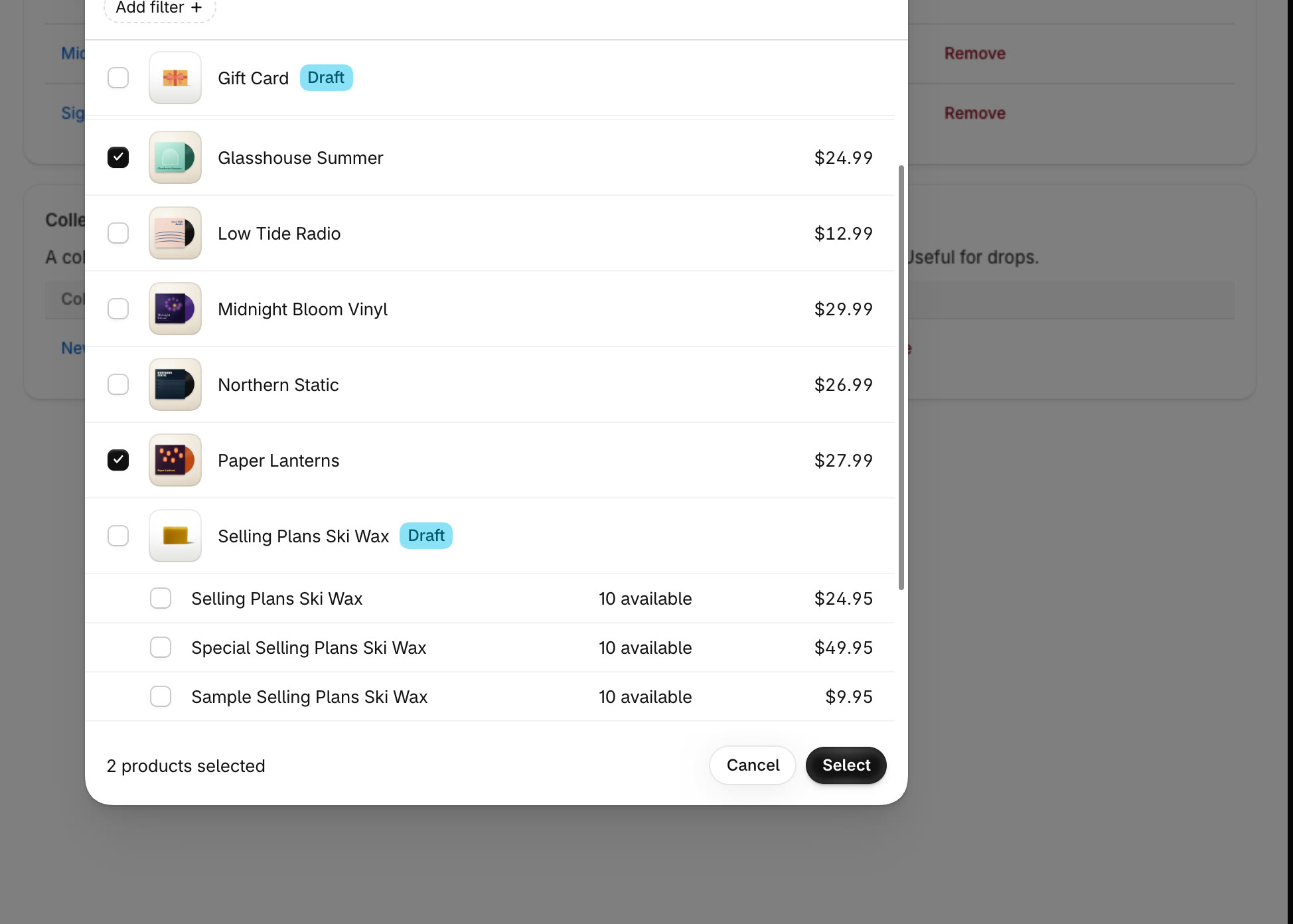
Tick each product you want to limit, then click Select.
3
Set the limits and save
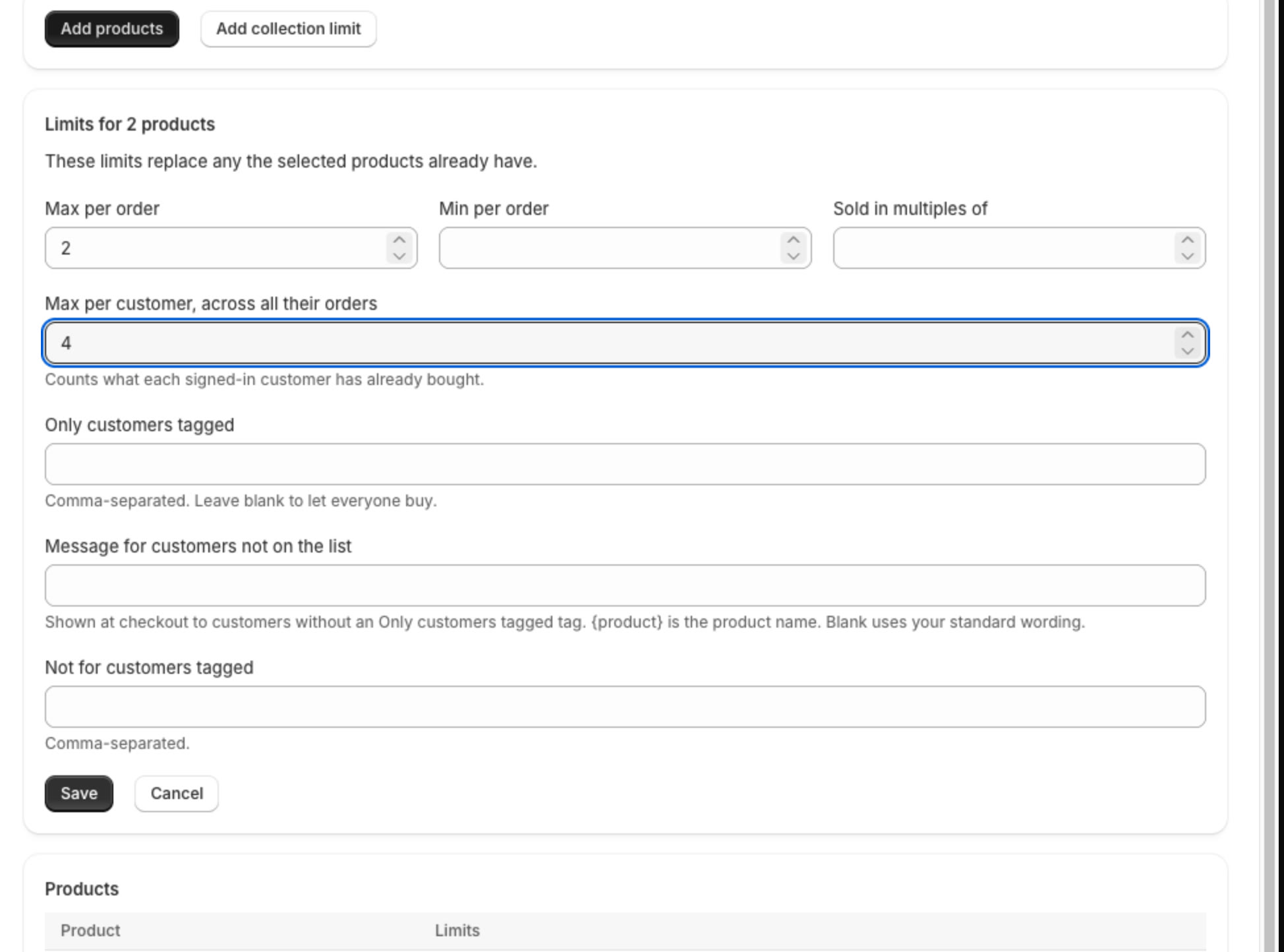
Fill in the limits they should all have and click Save. Leave a box blank for no limit.
Tip
These limits replace any the products already have. To change one product later, click Edit next to it on the Limits page.
All done
That's everything for this guide. Need a hand? Email support@stocklock.net.