 Stock
StockMake a product members-only
Keep a product for customers with a tag, such as members or VIPs, and show everyone else your own message.
Prefer to watch? Play the video guide: Members-only products
Open the product's Order limits card
Open the product in your admin and scroll to its Order limits card. (No card? Click + Block and choose Order limits.)
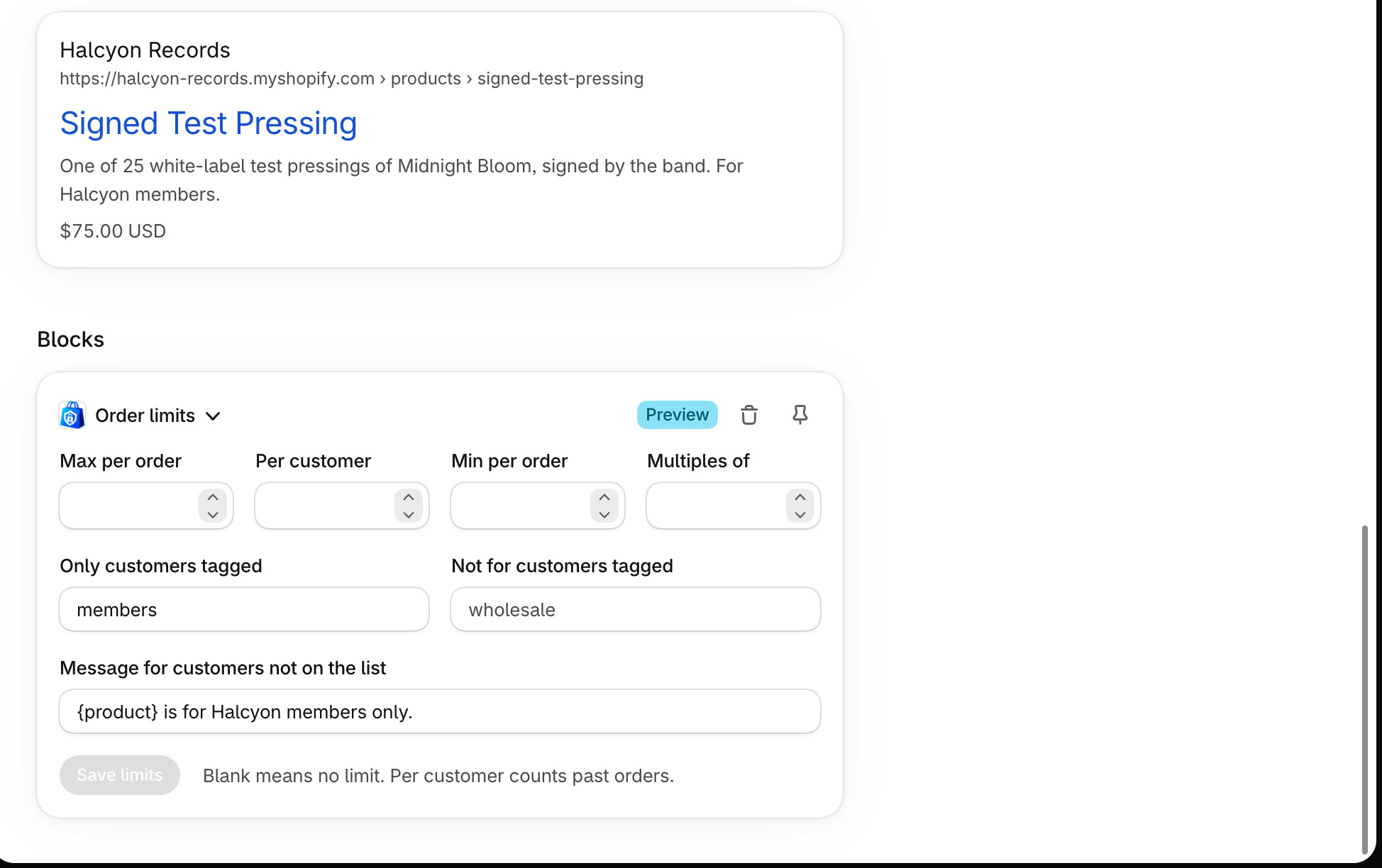
Enter the tag and your message, then save
In Only customers tagged, enter the tag your members have, such as members. Write the message everyone else sees in Message for customers not on the list, then click Save limits.
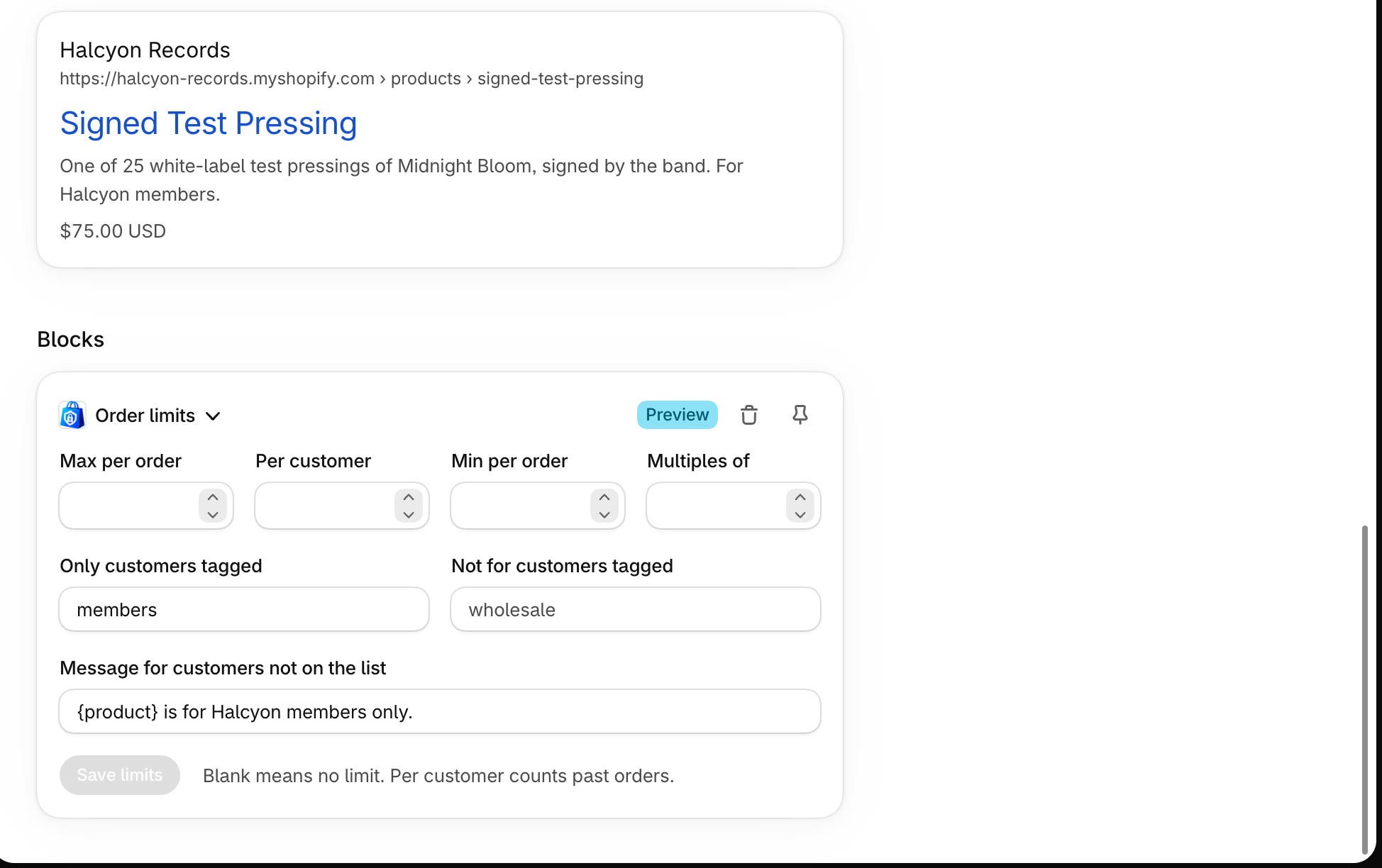
Separate several tags with commas: customers with any of them can buy. Use {product} in the message for the product's name.
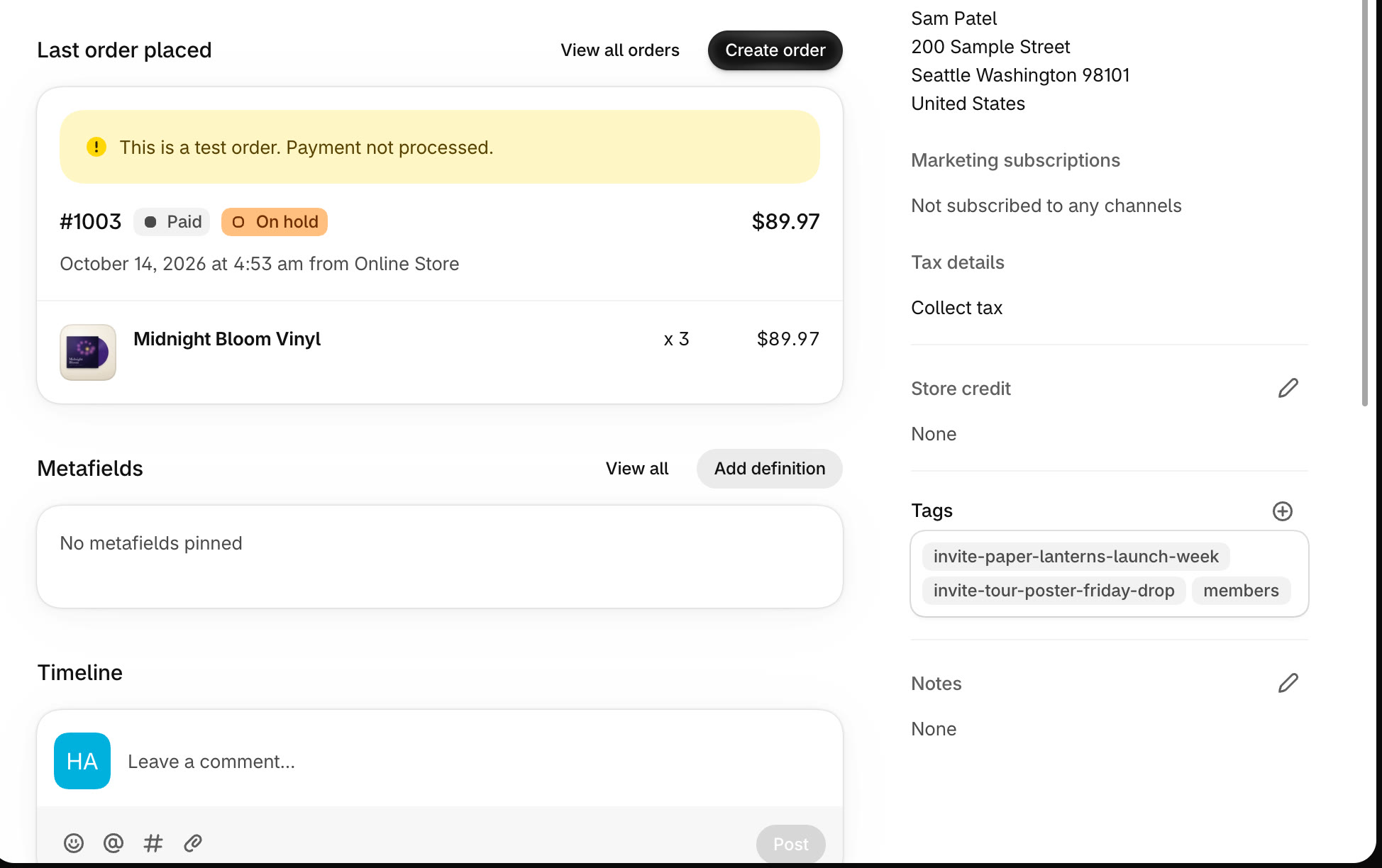
Tag your members
In Customers, open each member and add the tag under Tags. Shopify Flow and other apps can tag customers for you.
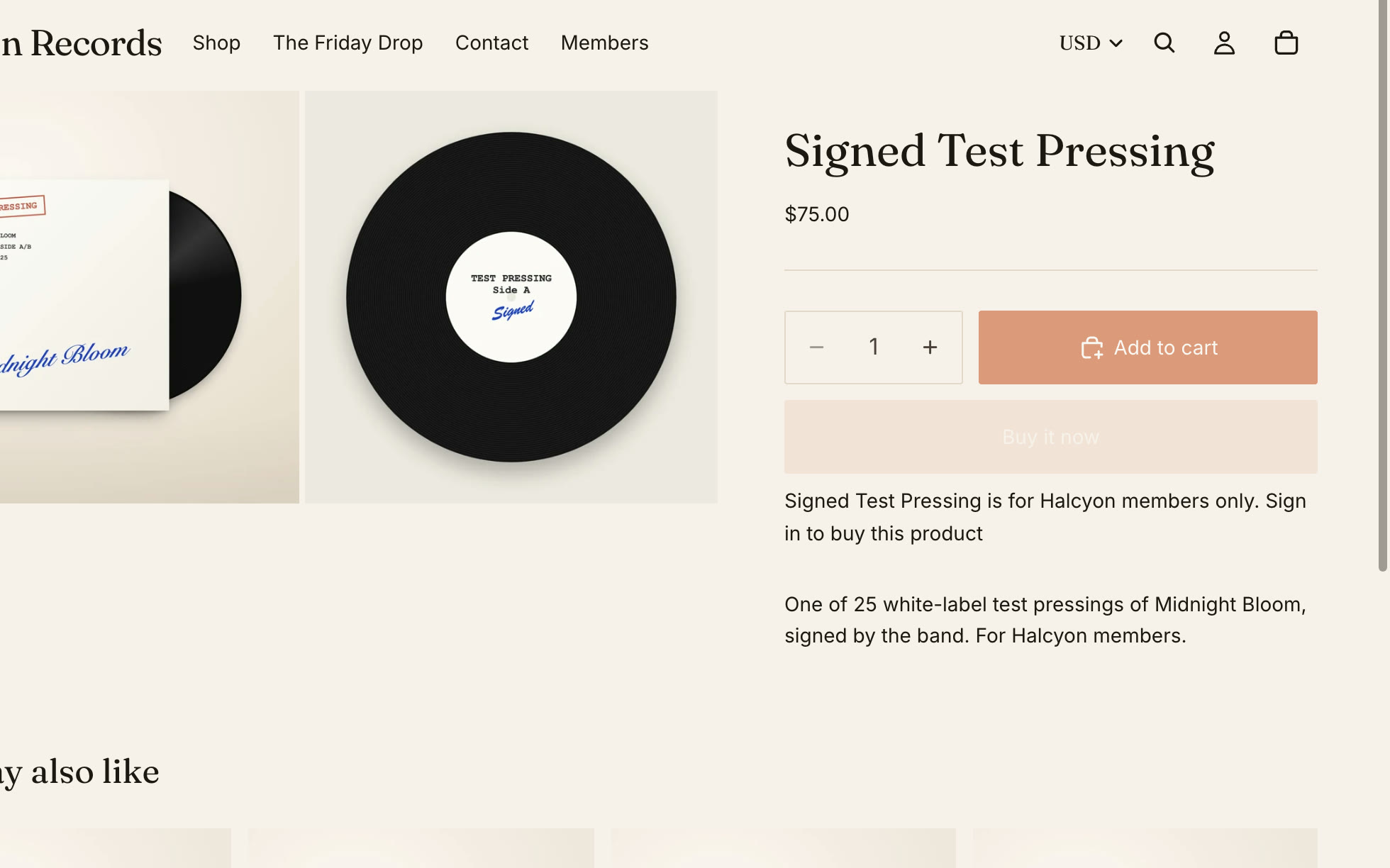
Everyone else sees a note
Shoppers without the tag see a note on the product page asking them to sign in, and can't add it to their cart.
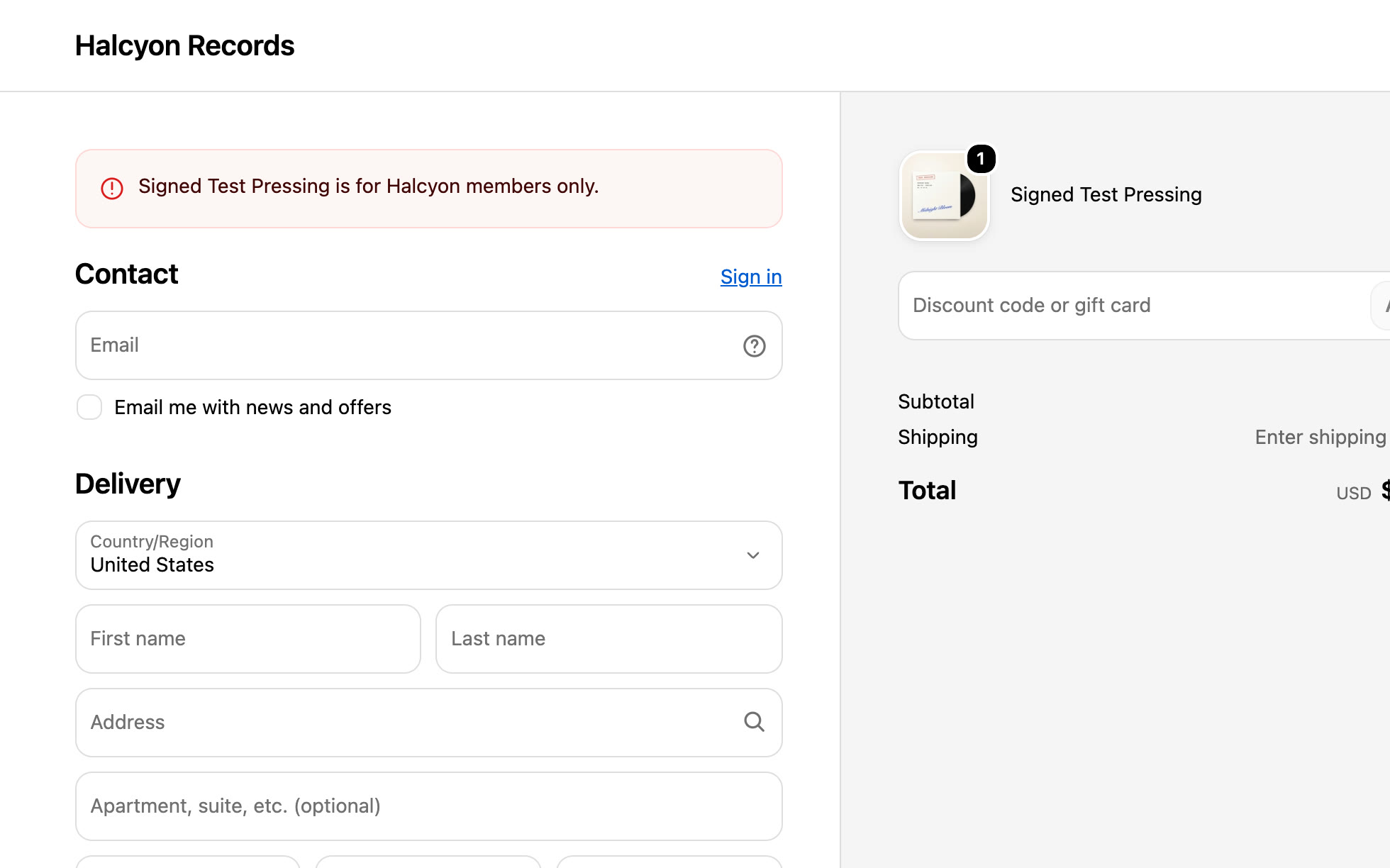
Checkout only sells to members
If someone without the tag gets it into their cart, checkout shows your message and won't complete. Signed-in members check out as normal.
All done
That's everything for this guide. Need a hand? Email support@stocklock.net.