 Stock
StockInstall StockLock and start your free trial
Add StockLock to your store, choose a plan and start the 7-day free trial. Every plan has every feature.
Prefer to watch? Play the video guide: Install StockLock and start your trial
Install StockLock
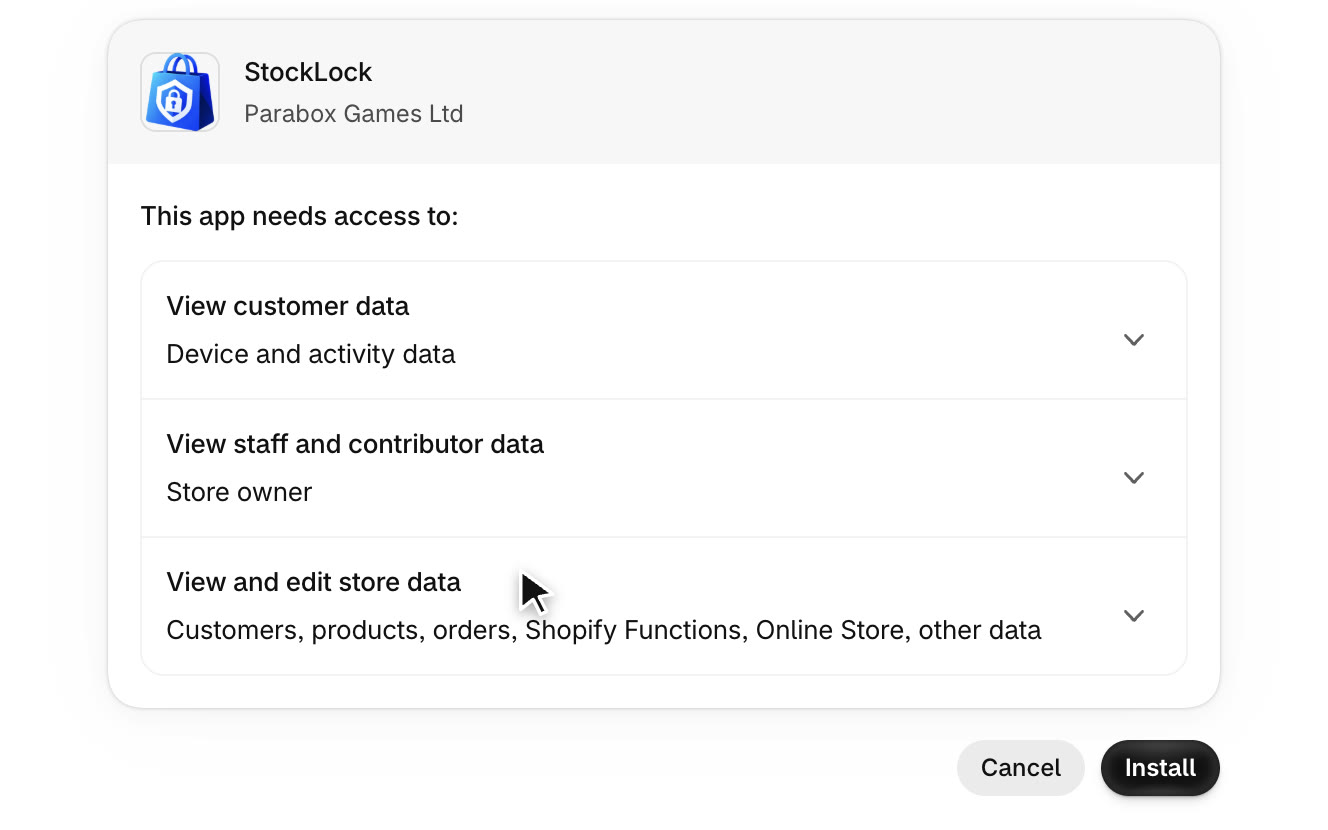
From StockLock's page on the Shopify App Store, click Install. Shopify lists what StockLock needs access to. Click Install to approve it.
Start your free trial
StockLock opens on its plan page. Plans are sized by protected orders: orders that include a product you limit. Click Start free trial.
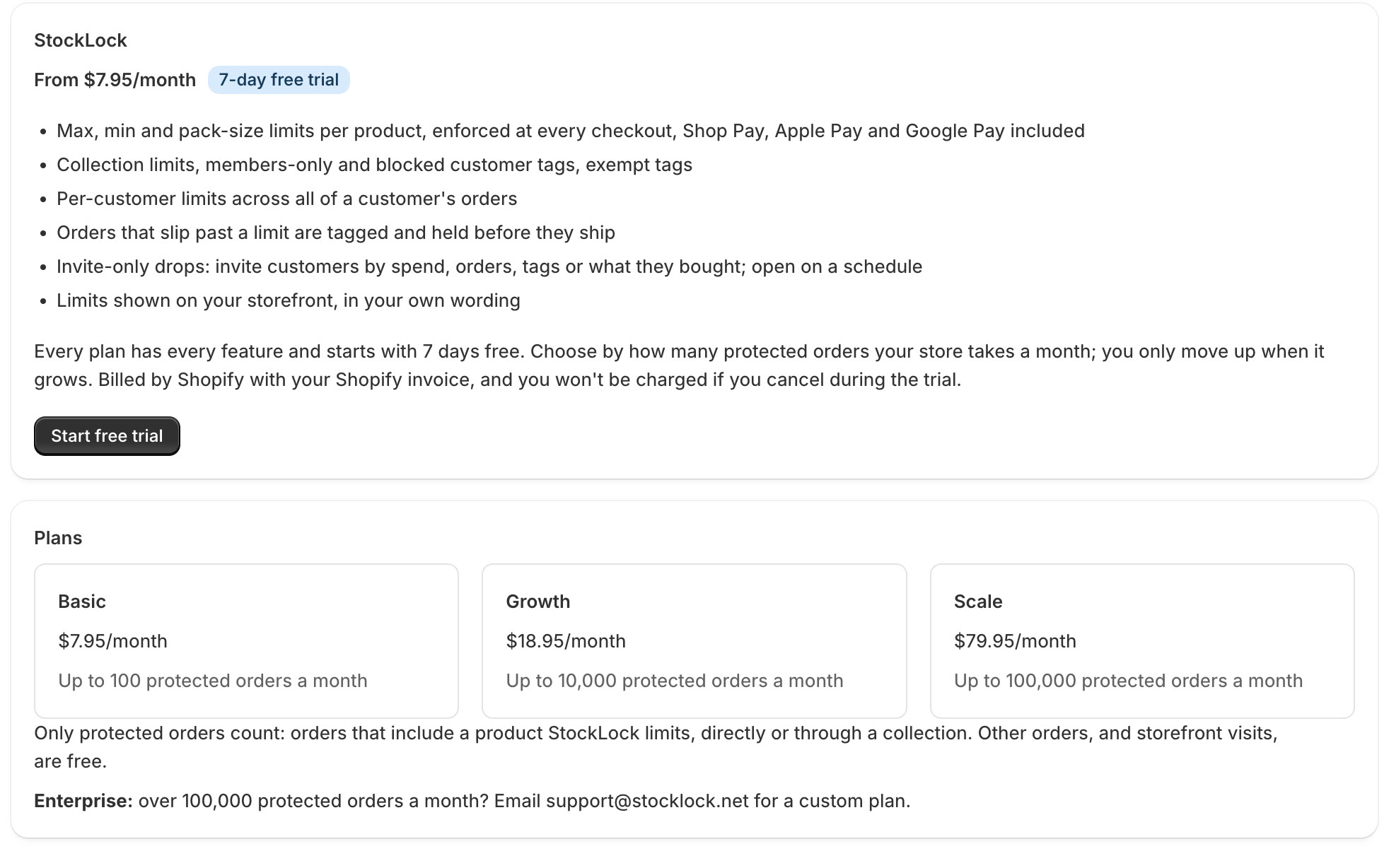
Every plan includes every feature and starts with 7 days free. You can change plan any time.
Choose a plan and approve it
Shopify shows the three plans. Choose the one that fits your store and approve it. You're not charged during the trial; after it, the charge appears on your Shopify bill.
You're set up
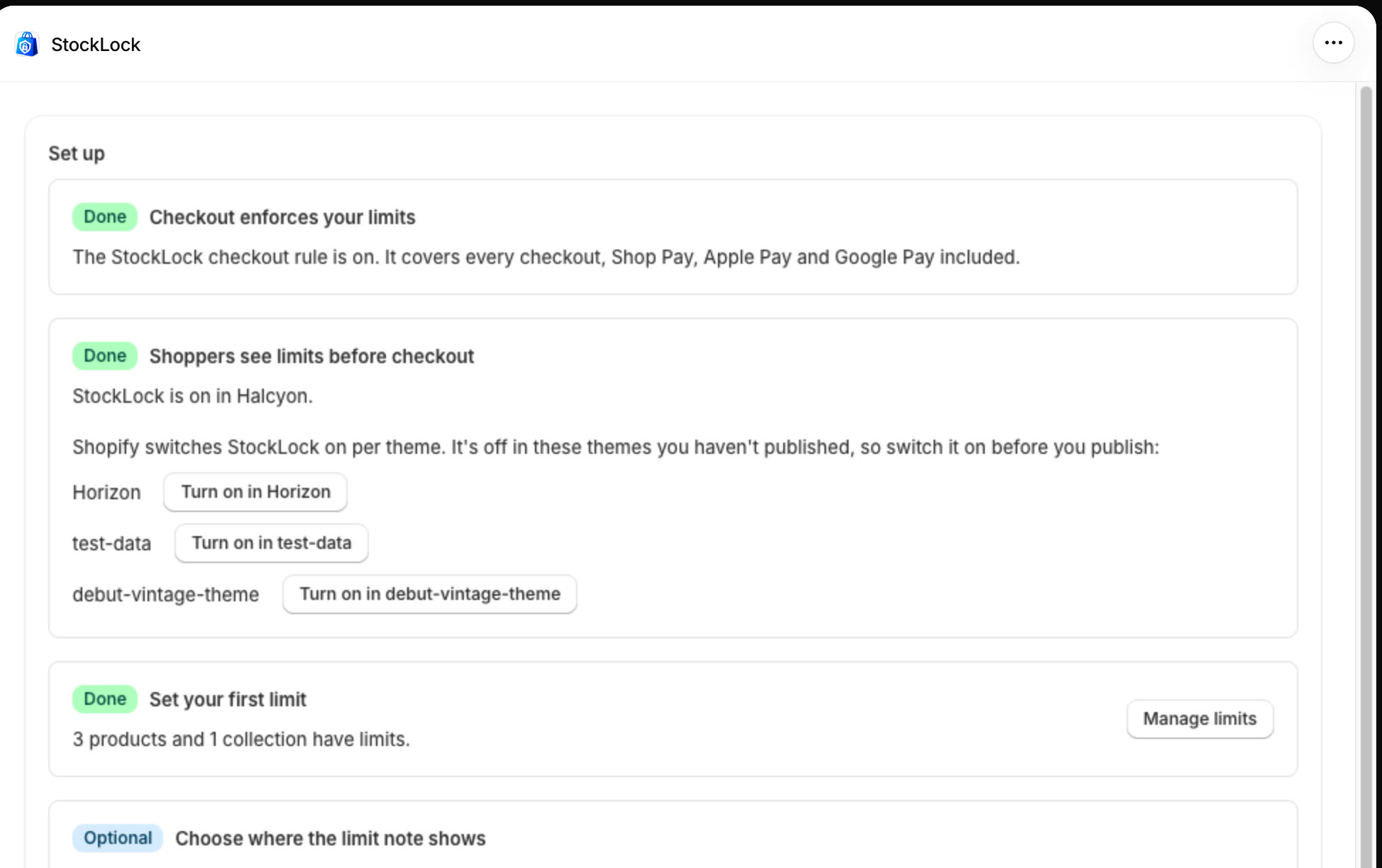
Back in StockLock, the home page checks your setup. Checkout enforces your limits is already done: StockLock created its checkout rule for you.
All done
That's everything for this guide. Need a hand? Email support@stocklock.net.