 Stock
StockLet wholesale or staff customers skip limits
Choose customer tags that skip quantity limits, so trade accounts or staff can buy as many as they need.
Prefer to watch? Play the video guide: Exempt and blocked customers
1
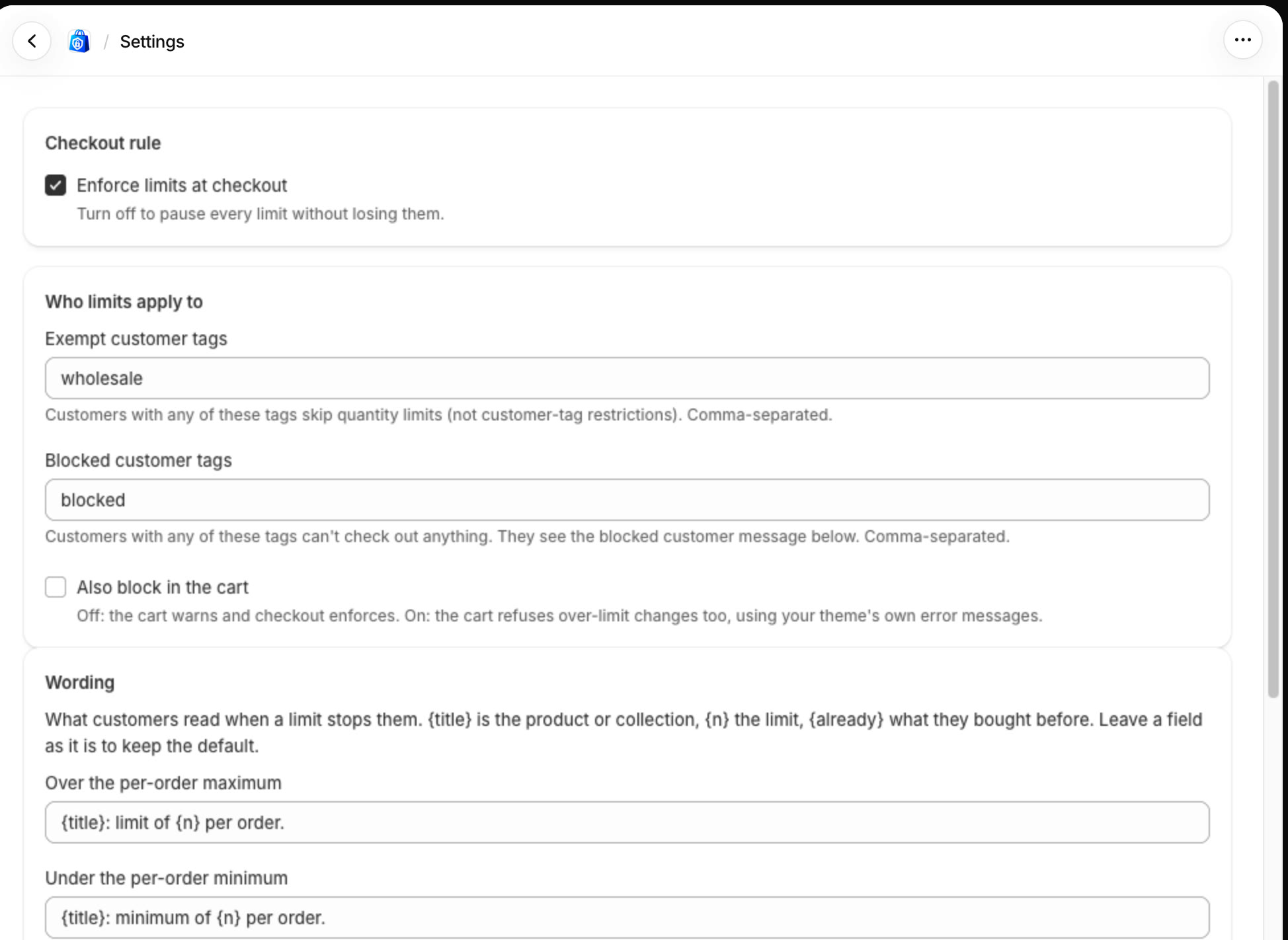
Add the tags in Settings
In StockLock, open Settings. Under Who limits apply to, enter the tags in Exempt customer tags, such as wholesale, and click Save settings at the bottom of the page.
2
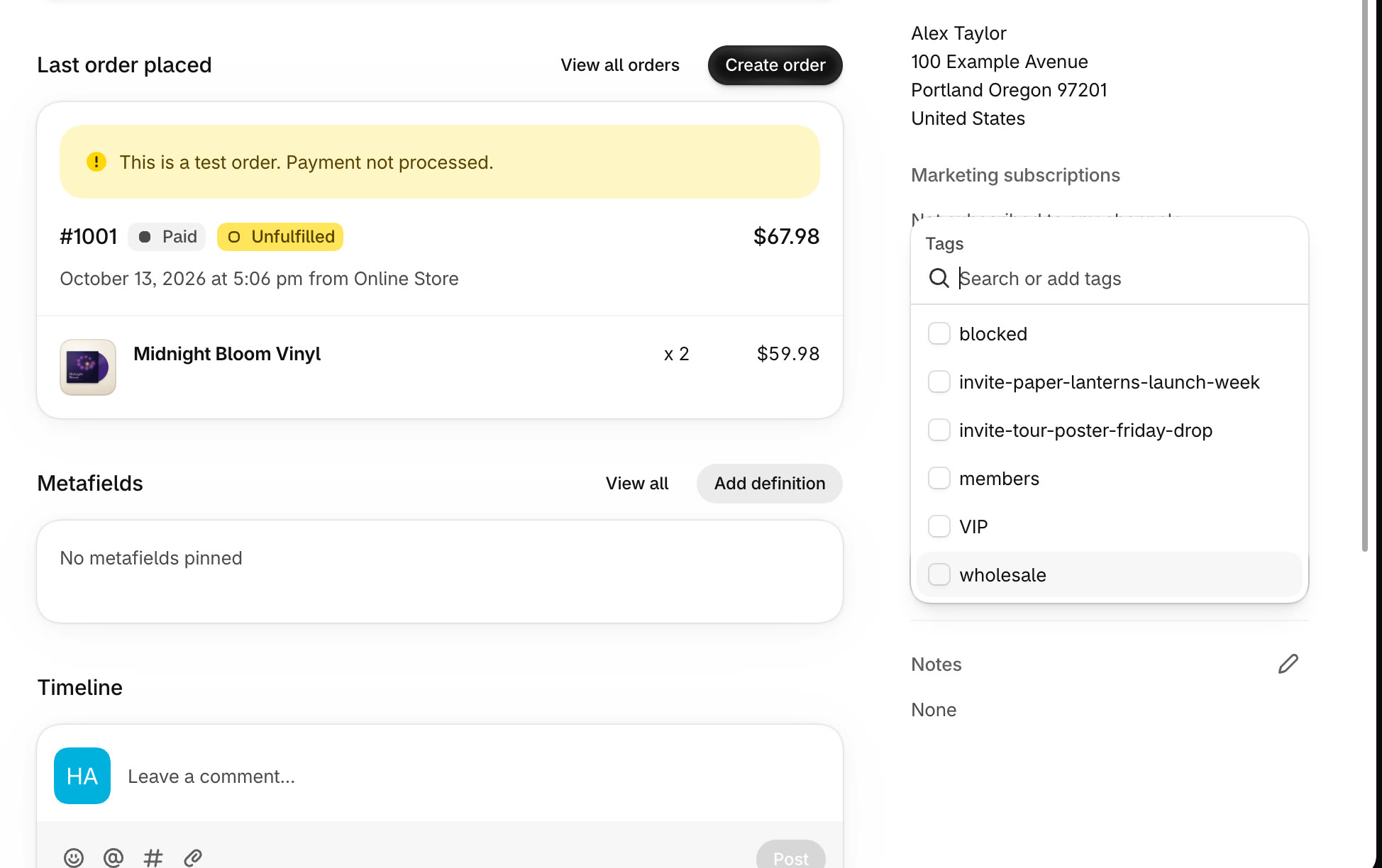
Tag the customers
In Customers, open each customer. Under Tags, click Add tags, pick or type the tag, then click Save.
3
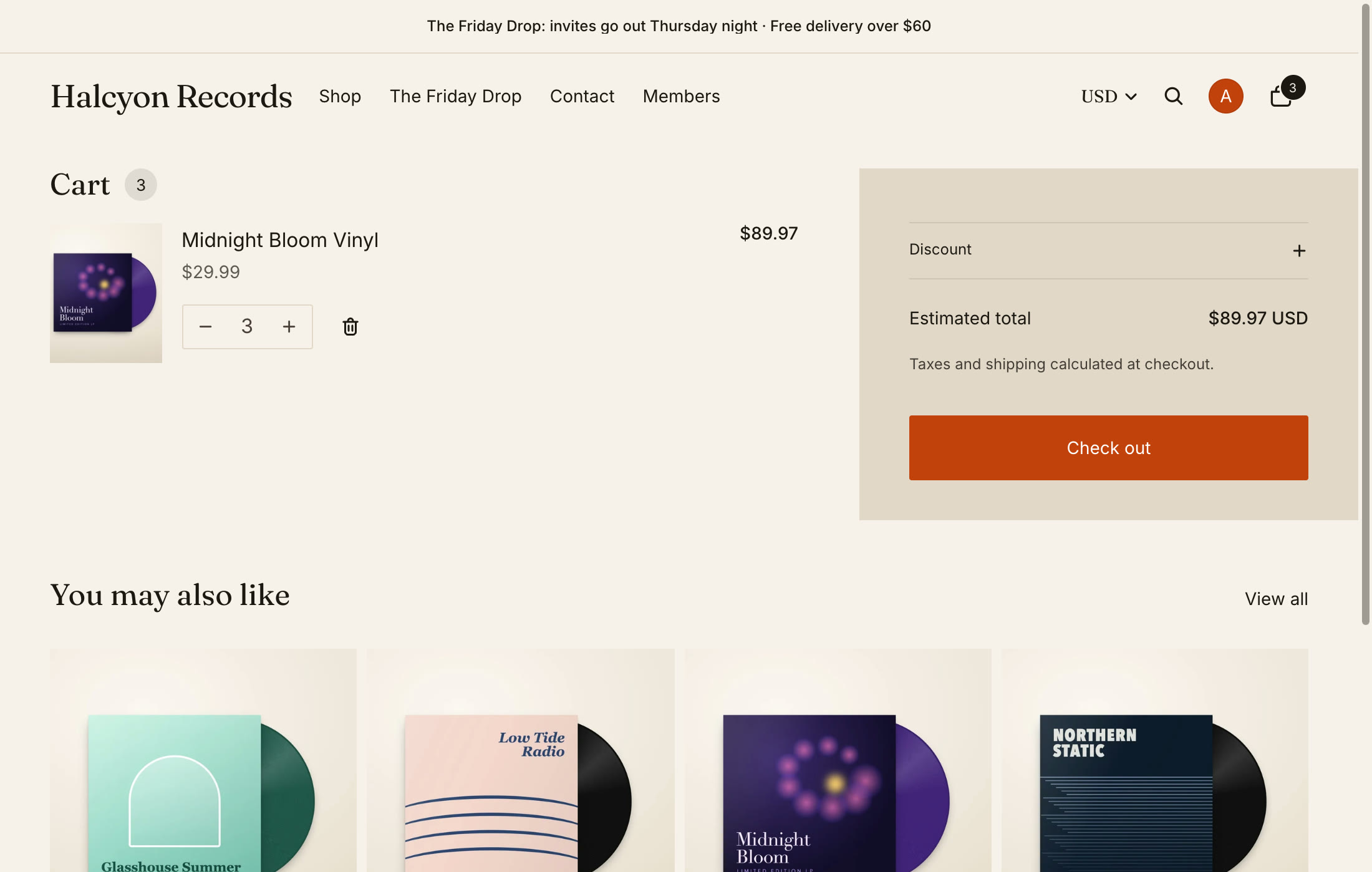
They skip quantity limits
When a tagged customer is signed in, quantity limits don't apply: no warnings in the cart, and checkout lets the order through.
Tip
Exempt customers still follow members-only and "not for" tags on products.
All done
That's everything for this guide. Need a hand? Email support@stocklock.net.