 Stock
StockBlock a customer from ordering
Stop customers with a tag from placing any order in your store, for example after abuse or chargebacks.
Prefer to watch? Play the video guide: Exempt and blocked customers
1
Add the tag in Settings
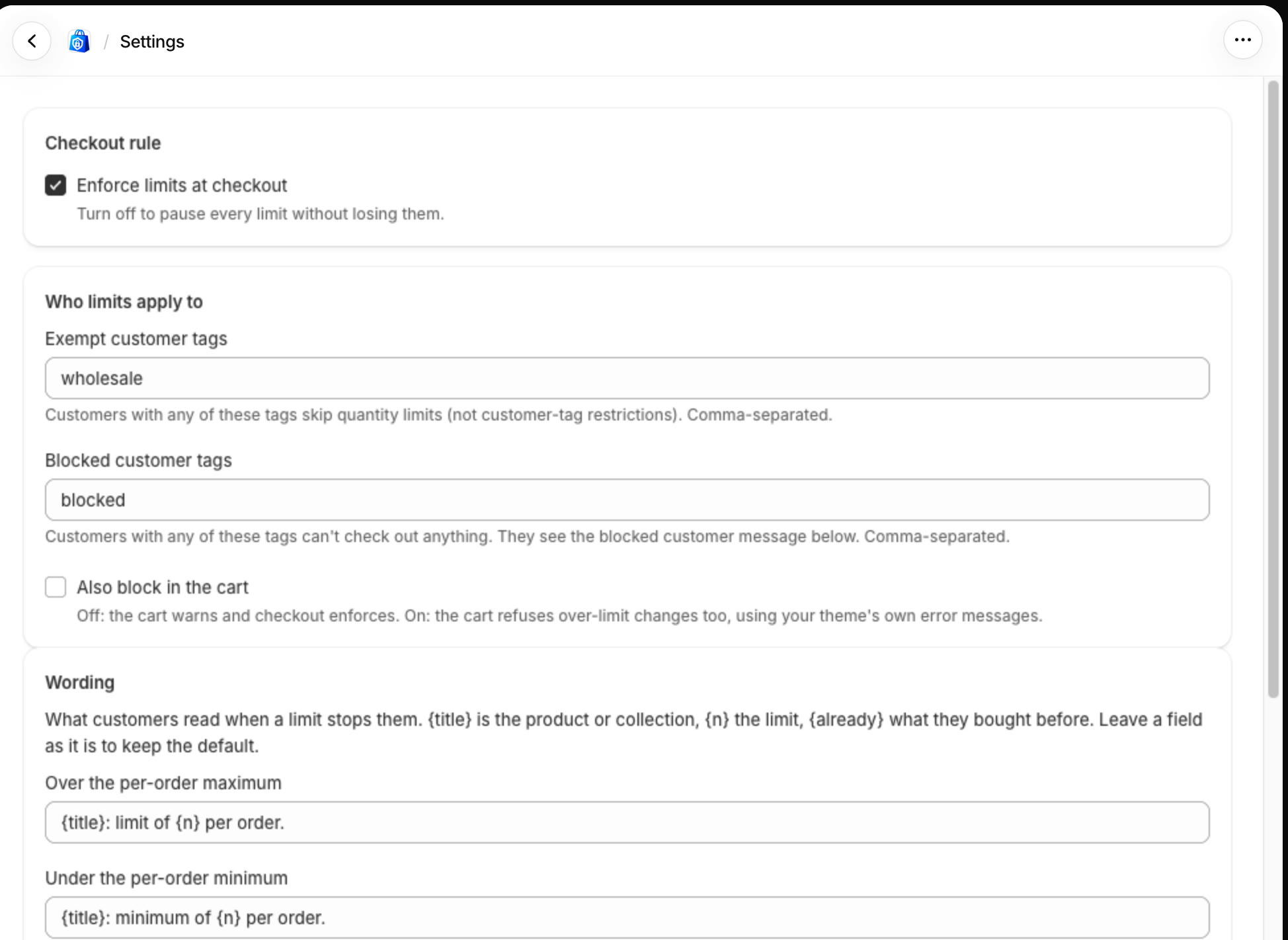
In StockLock, open Settings and enter a tag in Blocked customer tags, such as blocked. Click Save settings at the bottom of the page.
2
Tag the customer
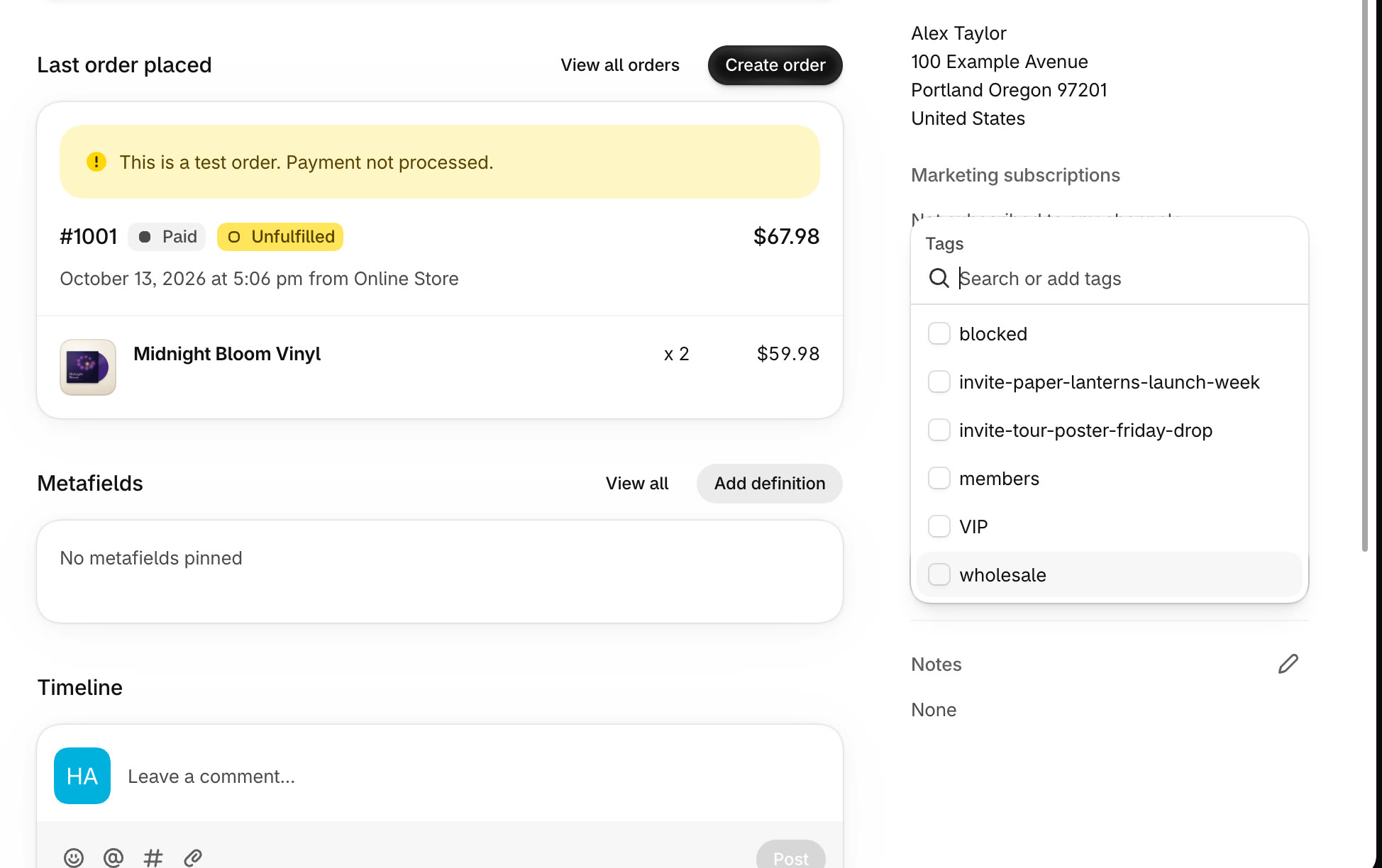
In Customers, open the customer. Under Tags, click Add tags, pick or type the tag, then click Save. Remove the tag any time to let them order again.
3
They can't order
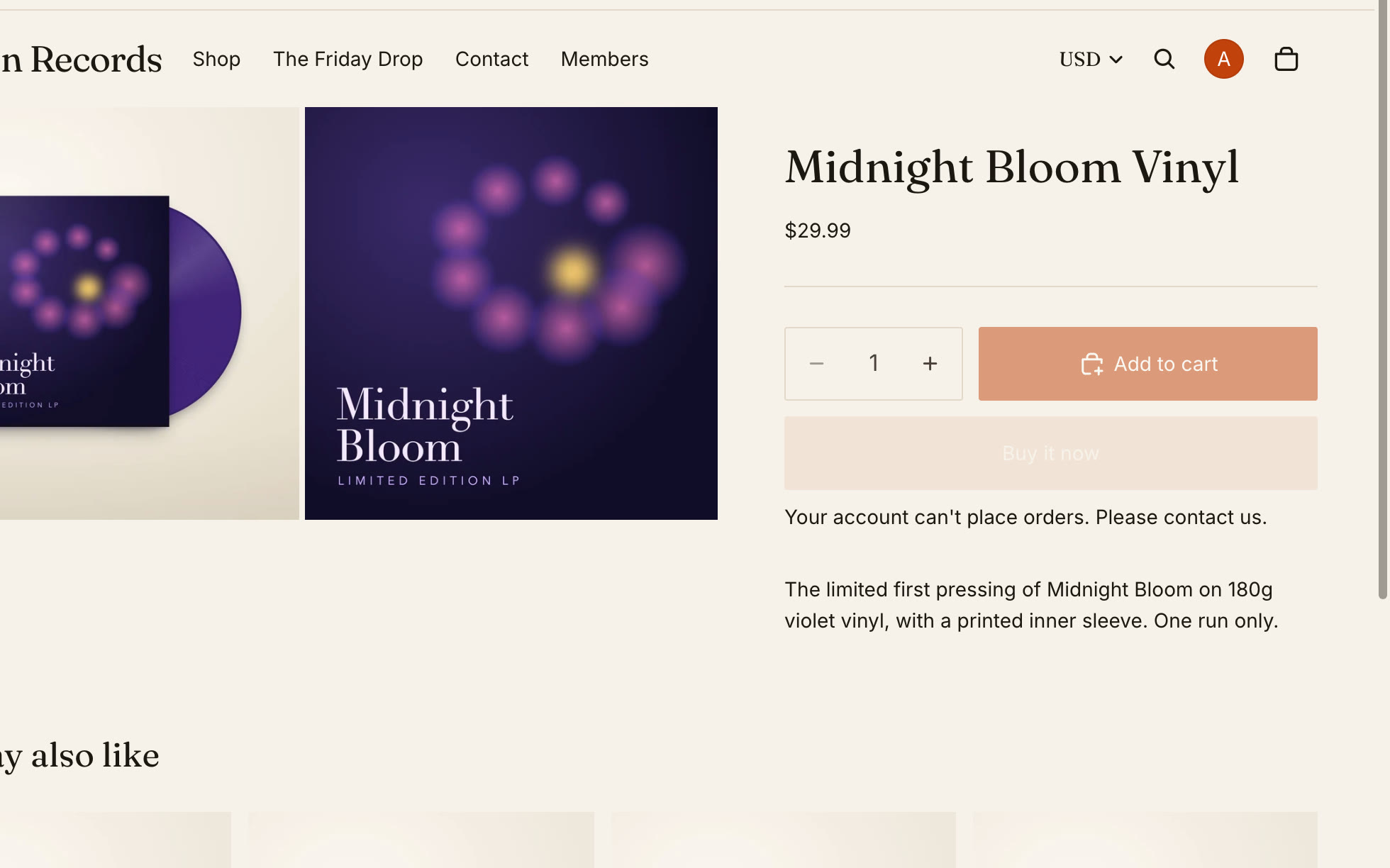
When they're signed in, product pages tell them they can't order, and checkout refuses any order with your Blocked customer message.
All done
That's everything for this guide. Need a hand? Email support@stocklock.net.