 Stock
StockStop over-limit amounts going into the cart
Have the cart refuse amounts over a limit, using your theme's own error messages, as well as blocking them at checkout.
Turn on Also block in the cart
In StockLock, open Settings, tick Also block in the cart and click Save settings at the bottom of the page.
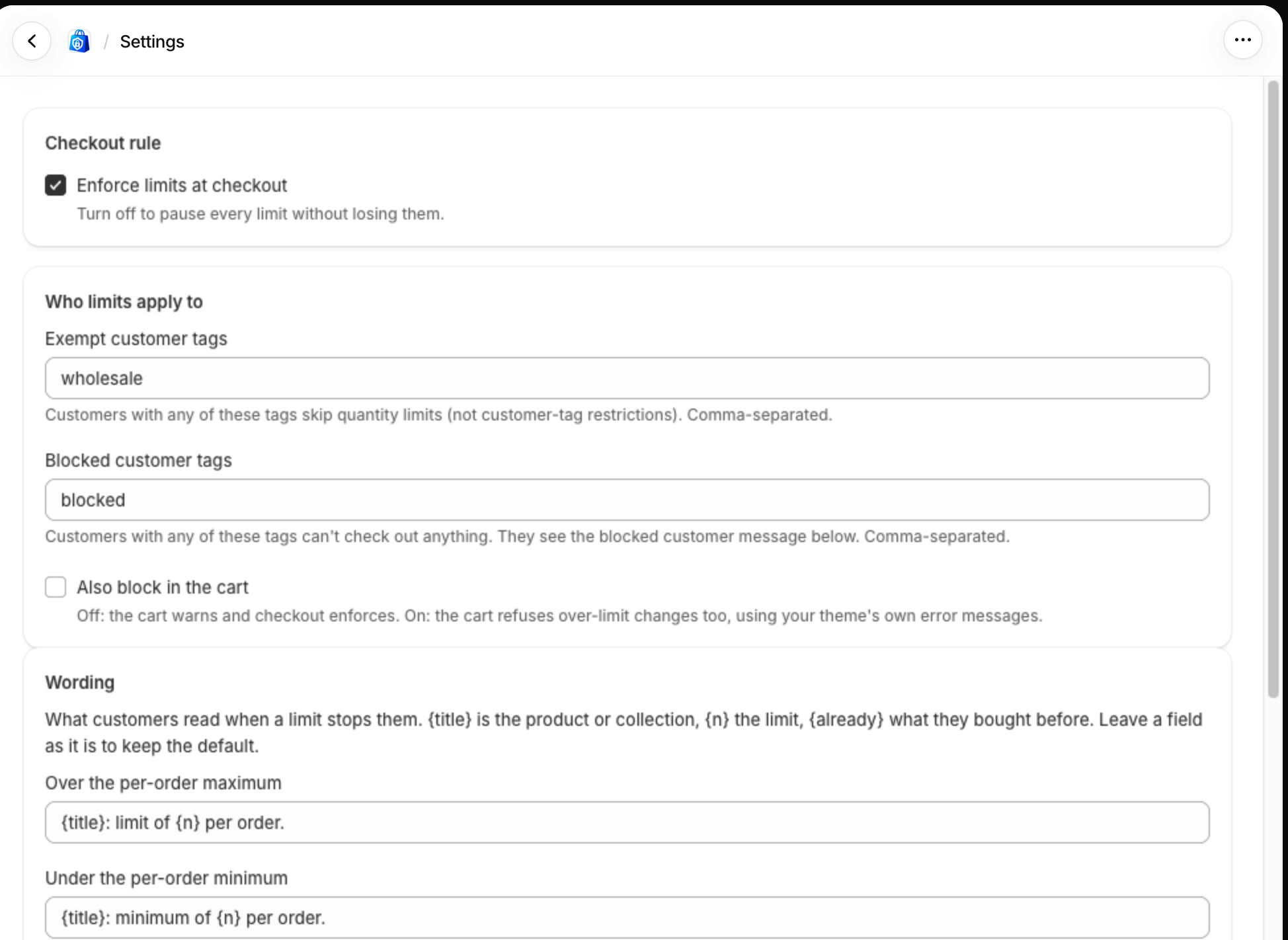
Off (the default), the cart lists what to change and checkout refuses the order. On, the cart refuses over-limit changes straight away.
What shoppers see
Shopify's cart now refuses any change that would go over a limit, wherever it comes from: product pages, quick add buttons, cart drawers or other apps. The cart stays within the limit, and your theme shows its own error message if it has one.
StockLock's quantity caps on product pages and in the cart already stop most shoppers before this. Checkout still checks every order either way.
All done
That's everything for this guide. Need a hand? Email support@stocklock.net.