 Stock
StockOpen a drop on a schedule
Set a date and time for a drop to open to everyone, so it opens on time without you.
Prefer to watch? Play the video guide: Invite-only drops
1
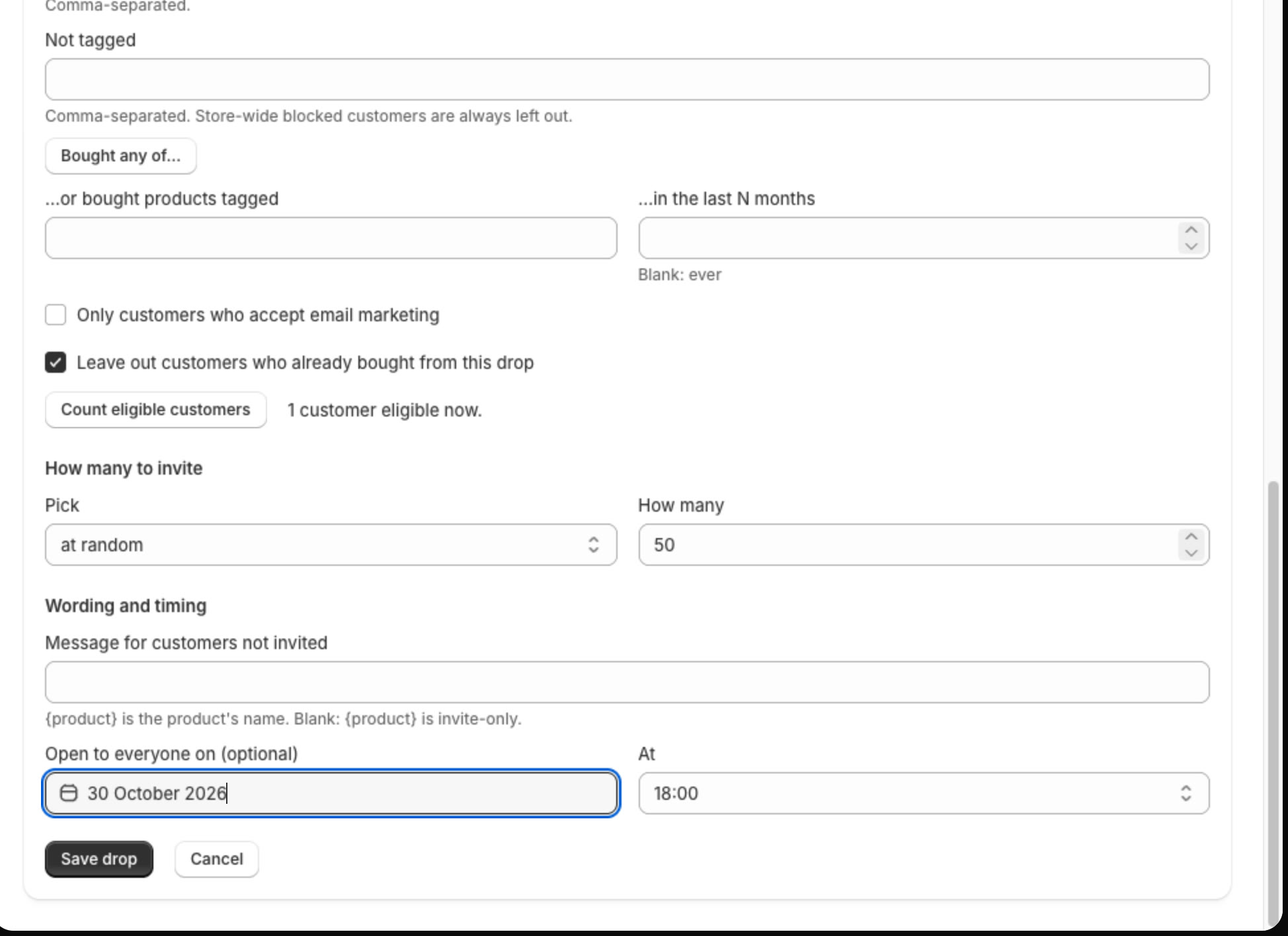
Set the opening time
On a new drop, or one you Edit, set Open to everyone on to a date and At to a time. Save the drop, invite customers and go live as usual.
2
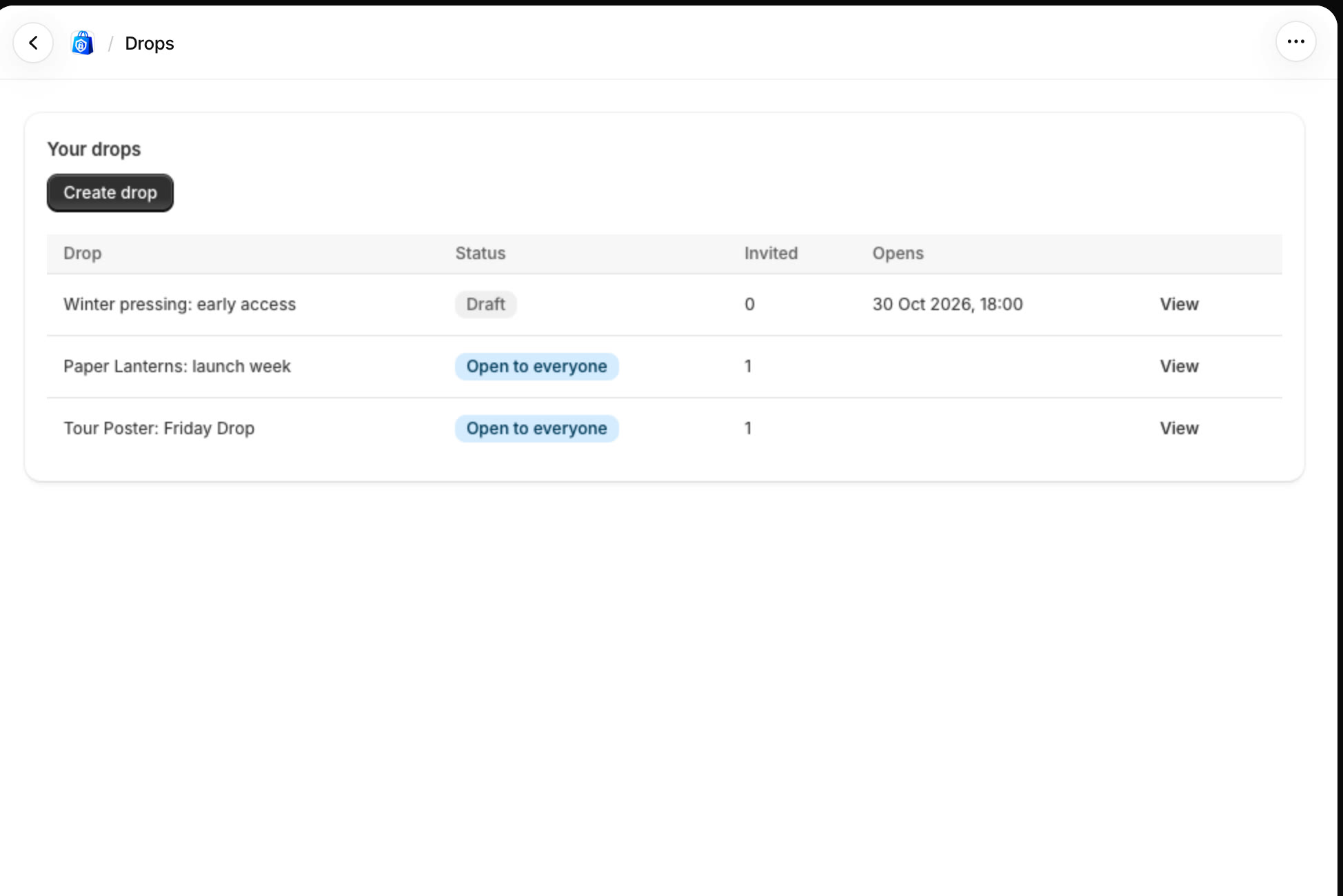
It opens by itself
Your drops list shows when it opens. StockLock opens it within the hour after that time, and you can still open it early by hand.
All done
That's everything for this guide. Need a hand? Email support@stocklock.net.