 Stock
StockReview orders that broke a limit
If an order ever gets past a limit, StockLock tags it and holds it so it isn't fulfilled until you've checked it.
Prefer to watch? Play the video guide: Hold orders that break a limit
1
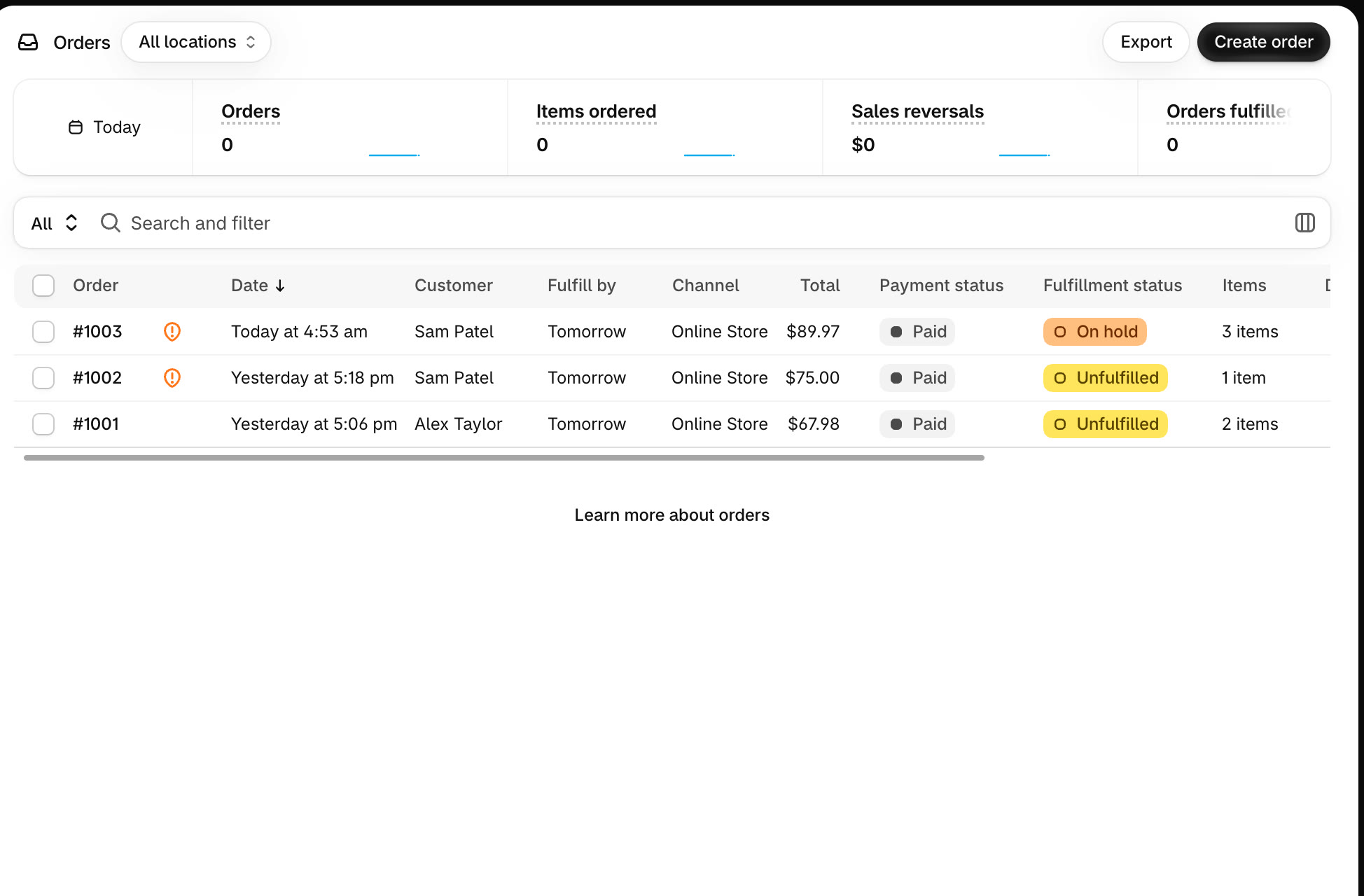
Find held orders
In Orders, held orders show On hold. They're tagged order-limit-breach, so you can filter by the tag to see them all.
2
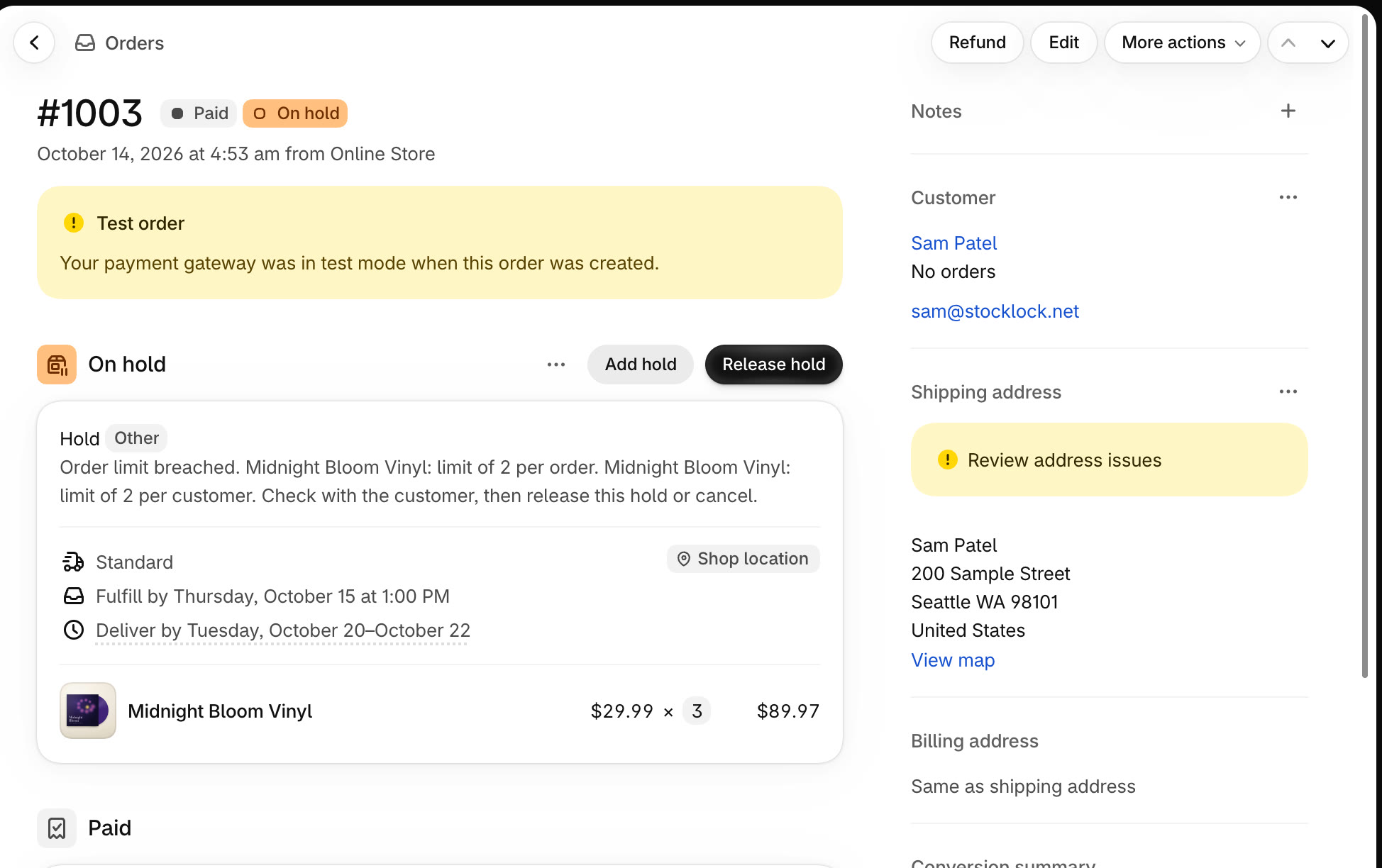
Open the order and decide
The hold says which limit was broken. Check with the customer, then click Release hold to fulfil it as normal, or cancel and refund the order.
Tip
Orders only get past a limit while checkout enforcement is paused, or when an order is edited after it's placed. Draft and POS orders aren't held.
All done
That's everything for this guide. Need a hand? Email support@stocklock.net.